
Affiliate disclosure: As an Amazon Associate I earn from qualifying purchases. WorkspaceWorth may earn a commission when you buy through links on this page, at no extra cost to you. Read the affiliate disclosure.
Quick Answer
Using typical housing widths, two 24-inch monitors fit a 120 × 60 cm desk. Two 27-inch screens take about 123 cm side by side, so 140 × 70 cm is a practical starting point and 160 cm is more comfortable. Two 32-inch screens suit 160–180 × 80 cm. Check your own monitors’ widths.
A desk for two monitors has to fit more than the screens. It also needs room for the stands or a monitor arm, a keyboard and mouse, forearm support, cables behind, and a comfortable viewing distance in front. This guide explains how to measure each part, works through common setups, and compares desk widths from 120 to 180 cm.
The examples use published monitor dimensions and stated planning allowances. They are not regulations, and your own screens, chair and room will change the answer. WorkspaceWorth did not install or test the products mentioned; product details come from Amazon.ae listings checked on 11 November 2026 and are listing-stated unless marked otherwise.
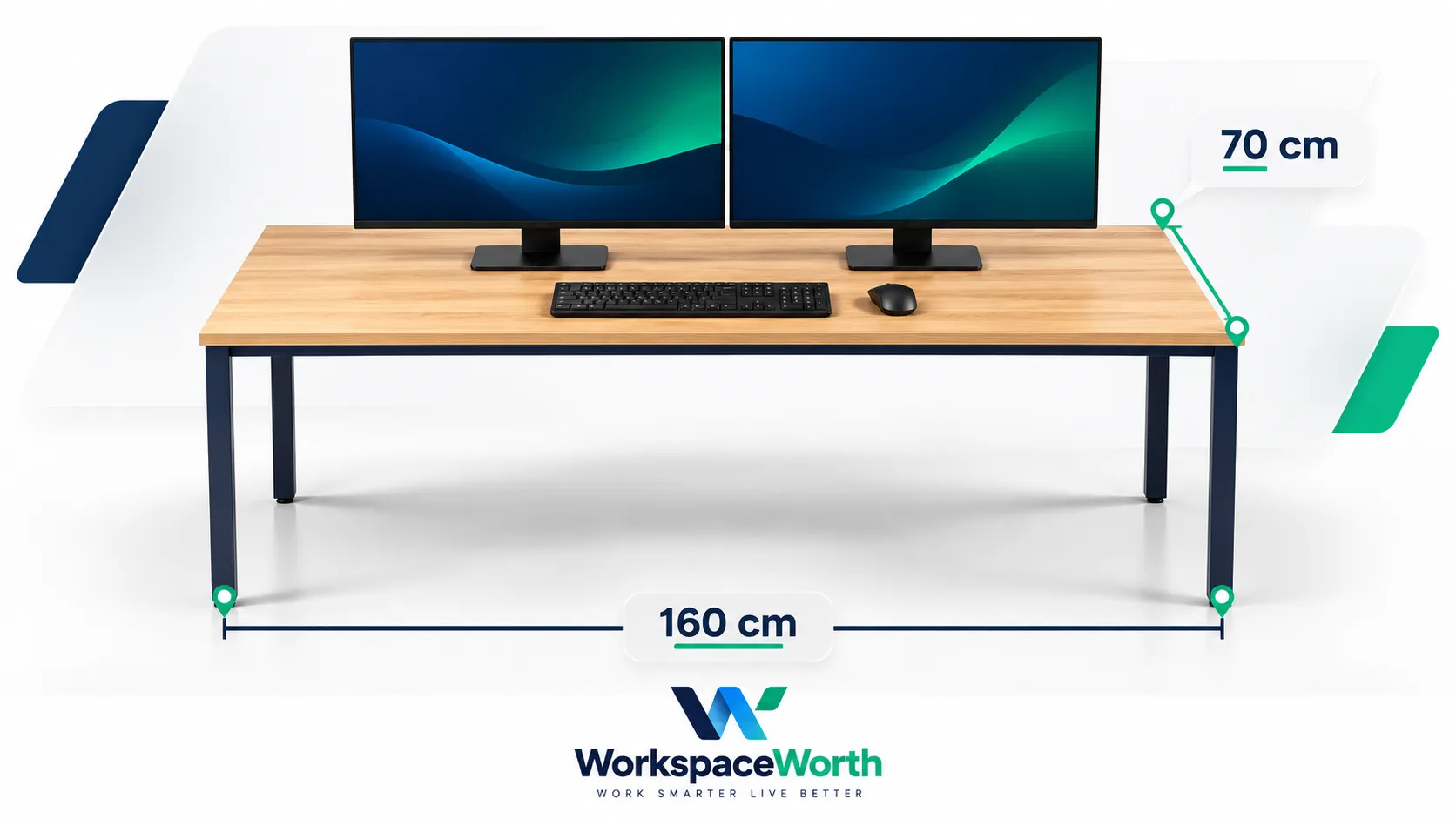
Desk size for two monitors at a glance
“Tight” means the screens fit with little or no side space. “Comfortable” leaves roughly 10 cm or more at each side for a lamp, phone or speaker. Widths assume two monitors side by side on their own stands, about 1 cm apart.
Desk width planning guide for two side-by-side monitors
| Setup | Screens + gap | 120 cm | 140 cm | 160 cm | 180 cm |
|---|---|---|---|---|---|
| Two 24-inch | about 109 cm | Fits (tight) | Comfortable | Comfortable, room for speakers | Generous |
| Two 27-inch | about 123 cm | Too narrow side by side | Fits, about 8 cm each side | Comfortable | Generous |
| Two 32-inch | about 144 cm | Too narrow | Too narrow side by side | Fits, about 8 cm each side | Comfortable |
| 27-inch landscape + 24-inch portrait | about 93 cm | Comfortable | Generous | Generous | Generous |
| Two 24-inch + open laptop beside | about 144 cm | Too narrow | Too narrow | Fits, reduced side space | Comfortable |
Based on manufacturer housing widths for one example monitor per size (see worked examples). Thicker bezels or wider stands change the result.
Depth matters as much as width. As a planning guide, 60 cm is a tight fit for two 24-inch or 27-inch screens on their stands, 70 cm is comfortable for most 24–27-inch setups, and 80 cm suits 32-inch screens or a large keyboard and tablet. A monitor arm can recover depth, as explained below. These are planning examples, not fixed rules.
Desk size for two monitors: six measurements to check
Screen size in inches describes the diagonal of the visible panel, which is the least useful number for desk planning. Measure these instead.
- Screen diagonal. The advertised size, such as 27 inches. It sets the panel size but not the full width of the monitor.
- Monitor housing width. The outside width including bezels, from the manufacturer’s specification sheet. This is the number to add up.
- Stand footprint. The width and depth of the base. Stands often decide how far back a screen can sit.
- Tabletop dimensions. Width × depth of the usable top. Check that frame legs, drawers or a raised shelf do not reduce it.
- Usable space after accessories. What remains after a laptop, speakers, microphone, lamp, notebook and any PC tower on the desk.
- Room footprint. The desk plus chair movement, walkway space and, for standing desks, clearance for the moving top and cables.
Calculating panel size from the diagonal
For a 16:9 screen, the visible panel width is the diagonal × 16 ÷ √(16² + 9²), and the height is the diagonal × 9 ÷ √(16² + 9²). Multiply inches by 2.54 for centimetres.
Calculated 16:9 panel dimensions, excluding bezels and stands
| Diagonal | Calculated panel width | Calculated panel height | Example housing width (manufacturer) |
|---|---|---|---|
| 24 inches | 53.1 cm | 29.9 cm | 53.8 cm (Dell S2425H) |
| 27 inches | 59.8 cm | 33.6 cm | 61.1 cm (Dell P2725H) |
| 32 inches (31.5-inch viewable) | 70.8 cm (69.7 cm at 31.5 inches) | 39.8 cm (39.2 cm) | 71.3 cm (Dell S3225QS) |
The calculated figures are panel dimensions only. Real housings are wider because of bezels, and many “32-inch” monitors have a 31.5-inch visible panel. Use your own monitor’s specification sheet for the final check.
Worked examples for common two-monitor setups
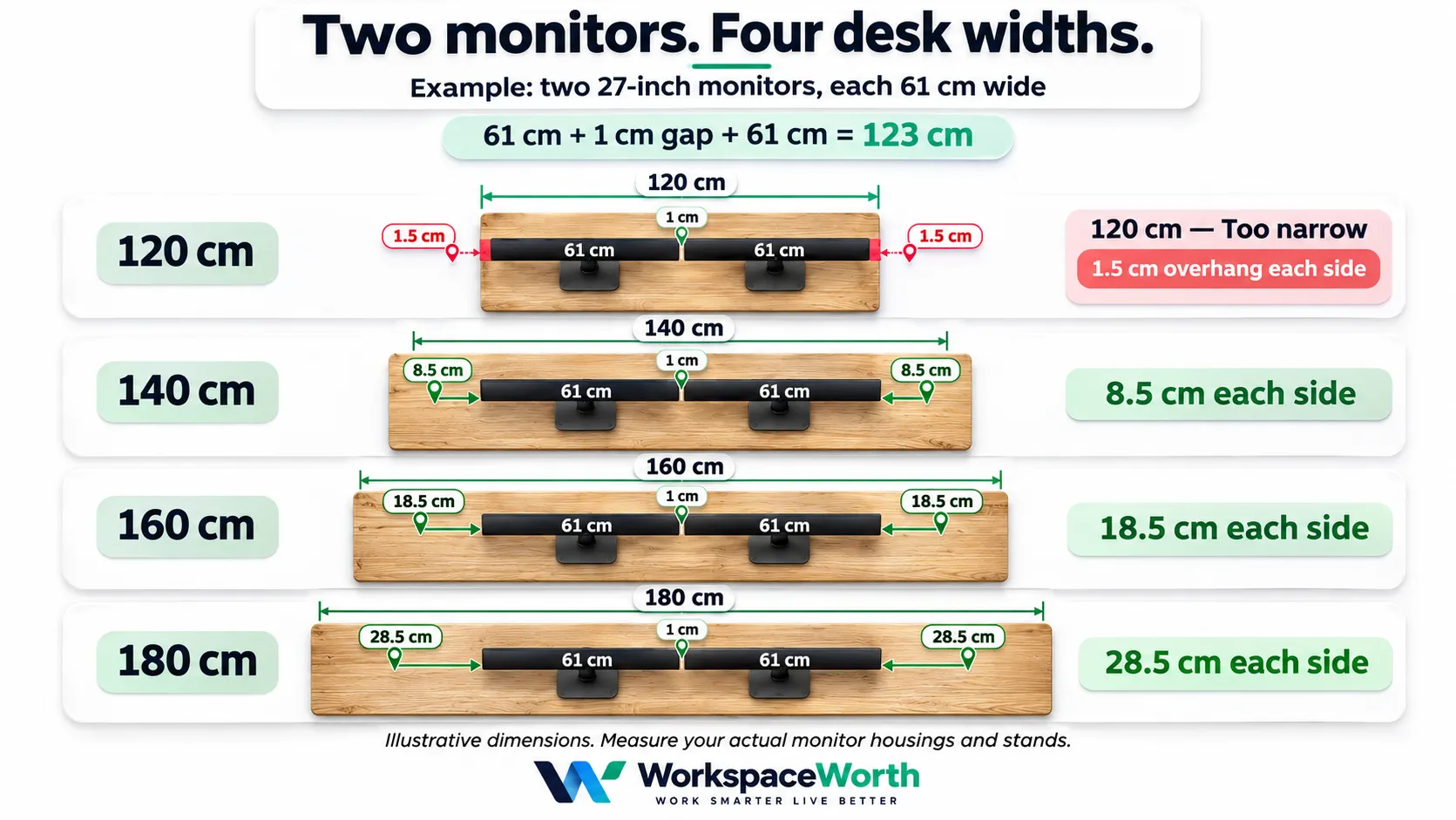
Each example uses one published monitor as a reference. Planning assumptions: screens about 1 cm apart; a “tight” allowance of 2.5 cm each side and a “comfortable” allowance of 10 cm each side; the keyboard and mouse sit in front of the screens, so they add depth rather than width.
Two 24-inch monitors
- Reference: Dell S2425H, 53.76 cm wide, stand 16.3 cm deep.
- Screens + 1 cm gap: about 108.5 cm. Tight fit: about 113.5 cm. Comfortable: about 128.5 cm.
- Result: a 120 × 60 cm desk fits; 140 × 70 cm leaves room for speakers or a lamp.
Two 27-inch monitors
- Reference: Dell P2725H, 61.07 cm wide, stand 19.2 cm deep, 4.03 kg without stand.
- Screens + 1 cm gap: about 123 cm. Tight fit: about 128 cm. Comfortable: about 143 cm.
- Result: 120 cm is too narrow for two flat, side-by-side screens. 140 × 70 cm fits with about 8 cm each side; 160 × 70 cm is more comfortable.
Two 32-inch monitors
- Reference: Dell S3225QS (31.5-inch viewable), 71.25 cm wide, stand 22.2 cm deep, 5.97 kg without stand.
- Screens + 1 cm gap: about 143.5 cm. Tight fit: about 148.5 cm. Comfortable: about 163.5 cm.
- Result: 160 × 80 cm is a realistic minimum; 180 × 80 cm is comfortable. The wide screens also push you towards the far end of the recommended viewing distance.
One landscape and one portrait monitor
- Reference: Dell P2725H landscape (61.07 cm) plus a Dell S2425H turned to portrait, where its 31.37 cm height becomes its width. The S2425H’s own stand does not pivot, so this assumes a rotating arm.
- Screens + 1 cm gap: about 93.4 cm. Comfortable: about 113.4 cm.
- Result: fits a 120 × 60 cm desk comfortably. Check that the stand or arm rotates, and that the screen’s 53.8 cm portrait height clears any shelf above.
Two monitors plus an open laptop
- Assumption: a 14-inch laptop about 32 cm wide, placed beside the screens with a 3 cm gap. Check your own laptop.
- Two 24-inch screens + laptop: about 143.5 cm. Comfortable: about 163.5 cm. A 160 cm desk fits with reduced side space; 180 cm meets the comfort allowance.
- Two 27-inch screens + laptop: about 158 cm. Comfortable: about 178 cm, so 180 cm.
- Alternative: put the laptop on a stand under or in front of the main screen, which saves width but needs depth.
Tip: angling screens saves width but costs depth
Assume two 27-inch screens (61.07 cm wide) meet at the centre and each turns inward around that inner edge. At 20° each, their combined projected width falls from about 122 cm to about 115 cm, and the outer edges come about 21 cm forward. At 30°, the width is about 106 cm and the outer edges come about 31 cm forward. Screens that pivot around their own centres, as on most stands, move differently, so measure your own setup. OSHA’s workstation guidance suggests monitors should not sit more than 35° to the left or right of straight ahead.
Four dual-monitor layouts compared
The layout changes the width and depth you need. The first three layouts are shown from above; the stacked layout is shown from the front. These are illustrative sketches, not to scale.
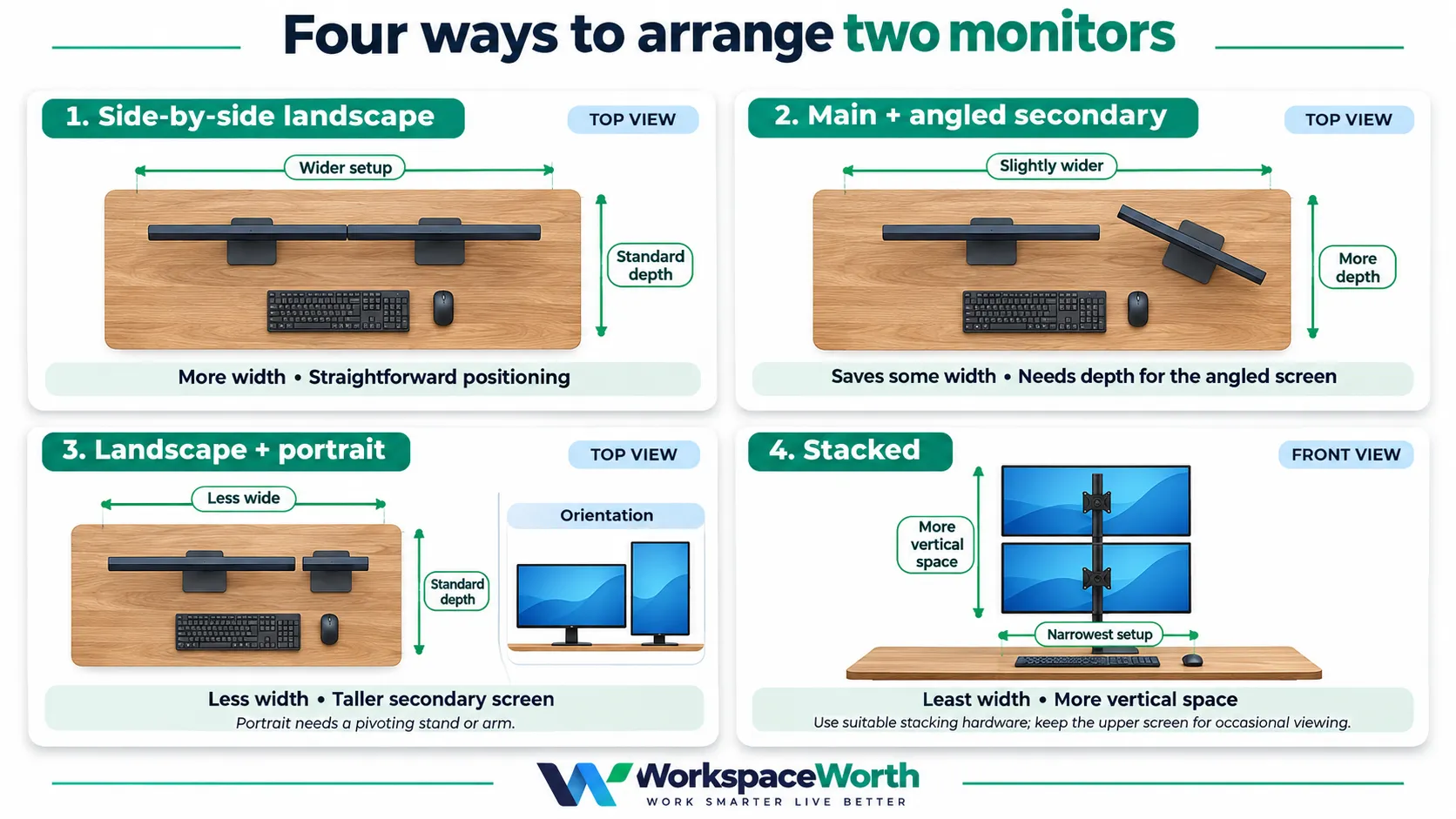
1. Side-by-side landscape
- Width: the full width of both housings plus the gap.
- Depth: stand depth plus keyboard zone.
- Suits: spreadsheets, coding, trading, gaming with equal screens.
- Limitation: needs 140 cm or more for two 27-inch screens; the centre seam sits in your line of sight.
2. Main screen centred with angled secondary
- Width: slightly less than side by side, because the angled screen projects narrower.
- Depth: the angled screen’s outer edge comes forward, so allow extra depth on that side.
- Suits: one main task with reference material, chat or a stream dashboard on the second screen.
- Limitation: the desk is asymmetric; a dual arm needs enough reach to offset one screen.
3. Landscape plus portrait
- Width: a portrait screen uses its height as width, so it is roughly half as wide.
- Depth: similar to a single landscape screen.
- Suits: coding, writing, document review and social feeds; works on 120 cm desks.
- Limitation: the portrait screen is tall, so its top may sit above eye level; check pivot support and shelf clearance.
4. Stacked monitors
- Width: one screen width, so even 100–120 cm desks can work.
- Depth: the same as a single screen; the arm or pole needs rear clearance.
- Suits: small rooms, a monitoring screen above a main screen, or a laptop below one monitor.
- Limitation: OSHA’s guidance places the top of the screen at or slightly below eye level. A second screen above that means looking up, so keep it for occasional glances, tilt it down, or set the lower screen as low as practical. Stacking needs a tall, heavy-duty arm, which this guide does not recommend.
Desk depth, ergonomics and room space
Viewing distance and screen height
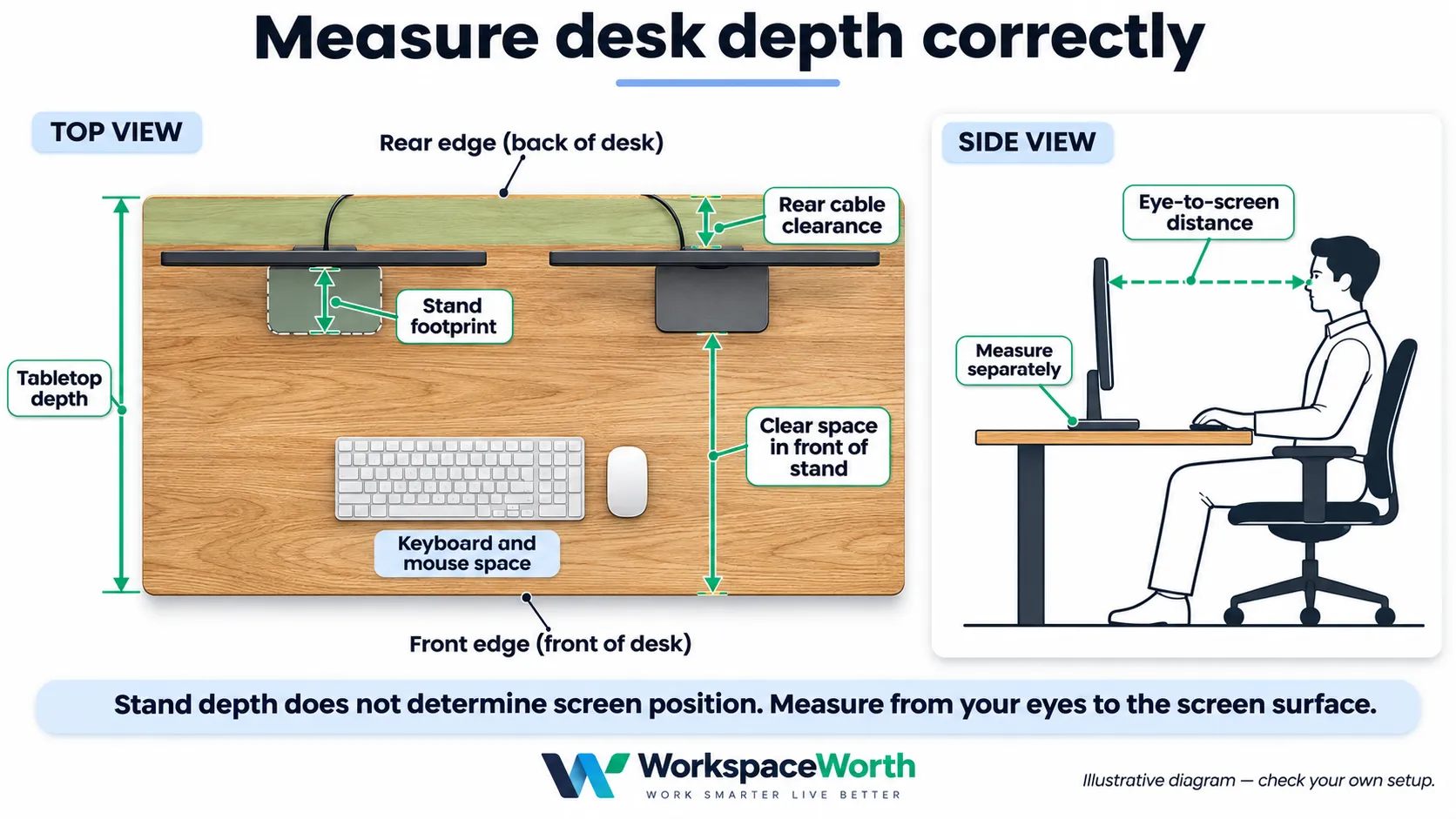
OSHA’s computer workstation guidance gives a preferred viewing distance of about 50–100 cm from the eye to the screen, with the top of the screen at or slightly below eye level. This guidance gives a range rather than a desk depth. In practice, larger screens are often placed further back so the whole screen stays in view, which is why depth becomes a limit for 32-inch monitors.
Depth planning examples
Stand depth tells you how much of the desk the base occupies; it does not tell you exactly where the screen surface sits, which varies by stand design. The table below therefore shows a measurement you can rely on: the clear depth left in front of the stand base, assuming the base sits 5 cm from the rear edge for cables. These are editorial planning examples.
Clear desk depth in front of the monitor stand base
| Desk depth | 24-inch (16.3 cm stand) | 27-inch (19.2 cm stand) | 32-inch (22.2 cm stand) |
|---|---|---|---|
| 60 cm | about 39 cm | about 36 cm | about 33 cm |
| 70 cm | about 49 cm | about 46 cm | about 43 cm |
| 80 cm | about 59 cm | about 56 cm | about 53 cm |
Compare that clear depth with the 25–30 cm planning allowance for a keyboard and forearms below. To check viewing distance, use the monitor maker’s side-view drawing, or sit at your current desk and measure from your eyes to the screen surface. If it falls below about 50 cm, a deeper desk or an arm is worth considering.
A monitor arm can move the screen back towards the rear edge, by an amount that depends on the arm’s reach and mounting position. Follow the arm’s manual: HUANUO’s HNDS6 manual, for example, warns against positioning a monitor beyond the desk edge. It does not reduce the screens’ width, the distance you need from them, or the space the arm needs behind the desk when it swings. If the desk is against a wall, check the arm’s folded depth and clamp access in its manual.
Keyboard, mouse and forearm space
Leave roughly 25–30 cm from the front edge for a keyboard and resting forearms, and around 25 cm beside the keyboard for a mouse. On a 60 cm desk with the 27-inch reference stand, about 36 cm remains in front of the base, which fits a keyboard but leaves little room for a notebook.
Chair movement and circulation
As a planning allowance, keep about 90 cm clear behind the desk’s front edge for pulling a chair out and sitting down, and more if a walkway passes behind. A 160 × 80 cm desk with chair space therefore needs a floor area of roughly 160 × 170 cm.
Laptop, speakers, microphone and PC tower
- A laptop beside the screens adds about 30–40 cm of width; on a stand in front, it adds depth instead.
- Small desktop speakers commonly need 10–15 cm each side.
- A microphone arm clamps at the edge and needs its own clamp space, separate from a monitor arm.
- A PC tower on the desk can take 20–25 cm of width; on the floor, keep it clear of chair wheels and desk legs.
Standing desks: movement and cable slack
A standing desk moves screens, arms and cables up and down; the desks below travel about 46–48 cm. Run the desk through its full range before finishing the cable routing, and check that no cable becomes tight or sits near a pinch point at either end of the travel. Keep the desk a few centimetres from walls and window sills, and check shelves or air-conditioning units above the highest position.
For tidy routing in a rental, see our home office cable management guide for UAE renters.
Amazon.ae desks and monitor arms for two-monitor setups
Desk picks below are assessed for use with monitors on their own stands. No specific desk–arm pairing is confirmed. For arm mounting, follow the exact supplied model’s manual and check the desk maker’s guidance.
These shortlisted products support the sizing advice above: three desk sizes and two dual monitor arms. Specifications are as stated on each Amazon.ae listing unless marked otherwise. Prices change often, so check the current offer on Amazon.ae.
Before pairing a desk with a monitor arm
- Thickness: the desk top must sit within the arm’s clamp or grommet range. This is the only check a listing usually confirms.
- Construction and mounting point: ask the desk maker whether the top accepts a clamp-mounted arm at the position you plan to use, and follow the arm’s installation guidance.
- Underside clearance: frames, beams, drawers or motors under the clamp point can block mounting.
- Load: a desk’s total load limit does not show how much leverage one clamp point can take.
- Grommet holes: check the desk’s hole size against the arm’s stated hole range.
Desks and dual monitor arms compared by size and fit
| Product | Type | Size or load | Height or desk range | Potential fit | Main limitation | Amazon.ae |
|---|---|---|---|---|---|---|
| Amazon Basics Simple Office Computer Desk | Fixed desk | 120 × 60 cm | 73.6–75 cm (sources differ) | Two 24-inch, or landscape + portrait | Too narrow for two 27-inch side by side; height stated two ways | Check price on Amazon.ae |
| ErGear 140 × 70 cm Standing Desk | Electric standing | 140 × 70 cm | 72–118 cm | Two 27-inch | Top construction and stability at full height not stated | Check price on Amazon.ae |
| VASAGLE LSD026 160 × 70 cm Standing Desk | Electric standing | 160 × 70 cm | 72–120 cm | Two 27-inch with space; two 32-inch (tight) | 70 kg total load; 70 cm depth is tight for 32-inch on stands | Check price on Amazon.ae |
| HUANUO FlowLift Dual HNDS6 | Dual arm | 2–9 kg per arm | Desks 15–90 mm (manual) | Two 24-inch | No side-by-side spacing drawing; grommet hole 11–22 mm | Check price on Amazon.ae |
| MOUNTUP Dual Monitor Arm MU0005 | Dual arm | 2–8 kg per arm | Clamp range differs by source | Two 24–27-inch | Clamp range, extension and warranty differ between sources | Check price on Amazon.ae |
01Amazon Basics Simple Office Computer Desk, 120 × 60 cm
Potential option for two 24-inch screens or a portrait layout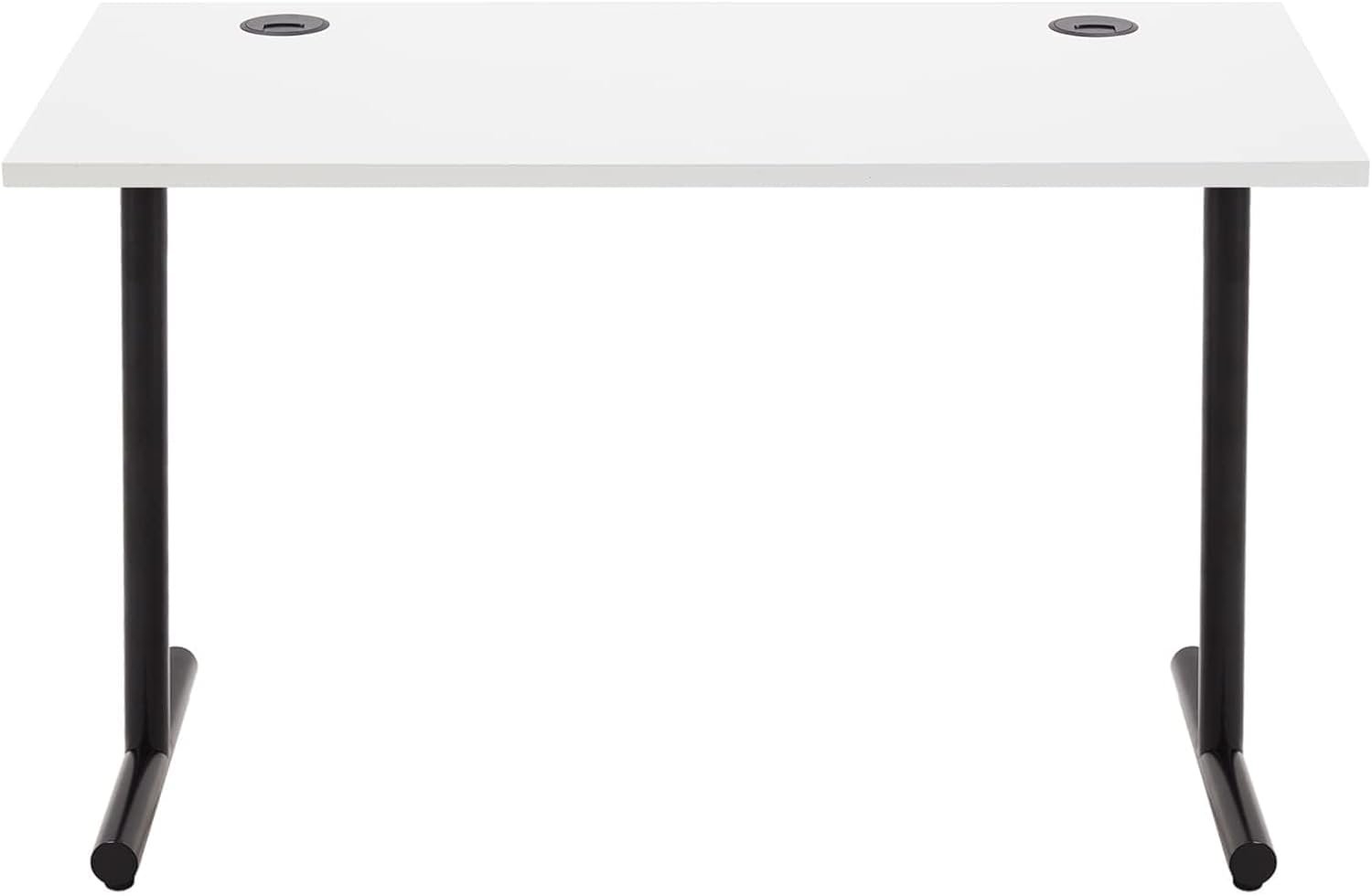
A fixed-height 120 cm desk. Its width matches the two-24-inch and landscape-plus-portrait examples above, which makes it a practical starting size for smaller rooms.
Listing-stated specifications
- Variant: white top, black frame (ASIN B09HTZPRQB).
- Top: 120 × 60 cm, 25 mm particleboard; two 80 mm grommets.
- Height: 73.6 cm in the listing title; 75 cm in the specification table.
- Frame: described as both wood and steel on the listing.
- Listed maximum load: 300 lb (about 136 kg), for the desk as a whole.
suits two 24-inch screens on their own stands. Choose a wider desk for two 27-inch screens. Before adding a monitor arm, confirm the top can take clamp loads; a 25 mm top is within common clamp ranges, but thickness alone does not show strength.
Two 24-inch monitors on stands; students and compact home offices
Check current details on Amazon.ae.
Advantages
- Width fits the two-24-inch example with a little side space.
- Two cable grommets for routing cables down.
- Simple fixed-height design.
Limitations
- Fixed height, so screen height depends on stands or an arm.
- Height and frame material are stated inconsistently.
- 60 cm depth is tight for 27-inch screens on stands.
- Its 80 mm grommets are wider than some arms’ grommet ranges (MOUNTUP lists up to 6 cm).
02ErGear Height Adjustable Desk, 140 × 70 cm
Potential option for two 27-inch screens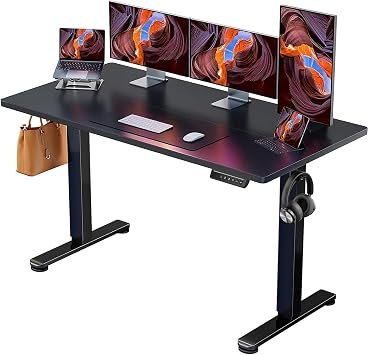
An electric sit-stand desk at the width and depth this guide suggests as a practical starting point for two 27-inch monitors.
Listing-stated specifications
- Variant: black, 140 × 70 cm (ASIN B0B41Z34M7). Specification table: 71.1 × 139.7 cm.
- Height: 72–118 cm, with four memory presets.
- Top thickness: 0.71 inches (about 1.8 cm).
- Listed maximum load: 176 lb (about 80 kg), for the desk as a whole.
a good match for the two-27-inch example, with 70 cm depth leaving about 46 cm in front of the reference stand. The top’s construction is not described for this size; if you plan to add an arm, check where the desk maker allows clamps.
Two 27-inch monitors; hybrid workers who alternate sitting and standing
Check current details on Amazon.ae.
Advantages
- 140 cm width fits two 27-inch reference housings with about 8 cm each side.
- 70 cm depth suits 24–27-inch screens on stands.
- Electric adjustment with memory presets.
Limitations
- Top construction is not described for this size.
- Stability at full height is not stated.
- Warranty is described only as “Limited”.
03VASAGLE Electric Standing Desk LSD026, 160 × 70 cm
Potential option for two 27-inch screens with side space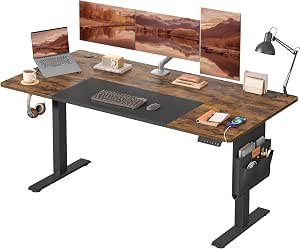
A 160 cm standing desk that fits two 27-inch monitors with room for speakers or a laptop stand, and two 32-inch reference screens with about 8 cm each side.
Listing-stated specifications
- Variant: rustic brown and matte black, 70 × 160 cm (ASIN B0CX4WVKP4, model LSD026X11V1).
- Height: 72–120 cm, with four memory presets.
- Top: engineered wood, 0.75 inches (about 1.9 cm); two cable holes.
- Listed maximum load: 70 kg, for the desk as a whole. Includes a fabric storage pocket and hook.
the most comfortable width here for two 27-inch screens. For two 32-inch screens, the 70 cm depth leaves about 43 cm in front of the reference stand, so check viewing distance before relying on stands.
Two 27-inch monitors with accessories; creators and gamers
Check current details on Amazon.ae.
Advantages
- 160 cm width leaves about 18 cm each side with two 27-inch reference screens.
- Electric adjustment with memory presets.
- Built-in pocket and hook for small items.
Limitations
- 70 kg listed load is lower than the ErGear’s.
- 70 cm depth is tight for 32-inch screens on stands.
- Several sizes share one listing.
04HUANUO FlowLift Dual HNDS6
Potential option for two 24-inch screens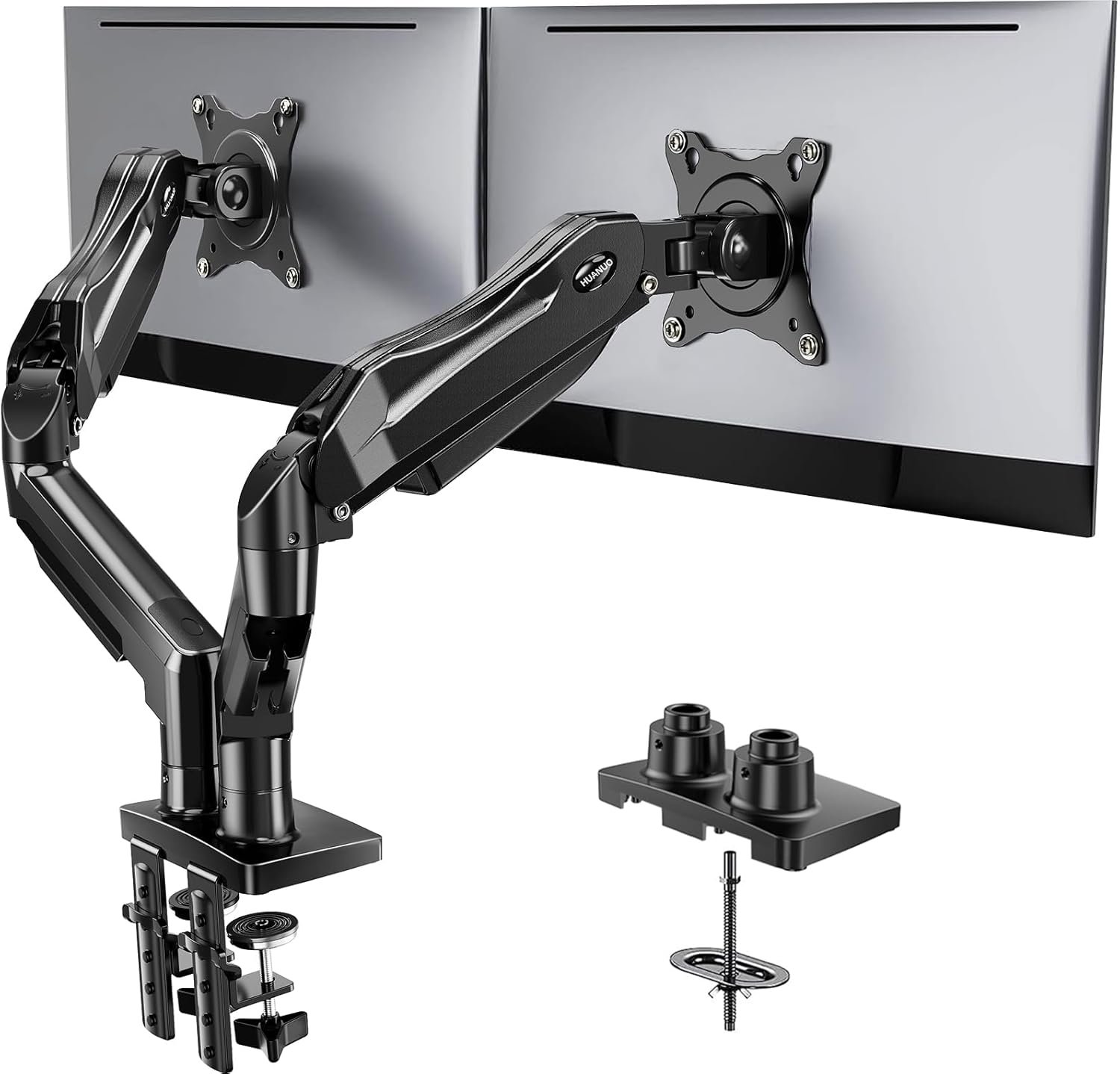
A dual clamp-or-grommet arm with per-arm load limits stated by both the listing and the manufacturer. Removing two stands frees desk depth, which matters most on 60–70 cm desks.
Manufacturer and listing specifications
- Variant: black (ASIN B07T5SY43L).
- Screens: 13–32 inches on HUANUO’s product page and in the listing title; the Amazon.ae specification table states 17–27 inches.
- Load: 2–9 kg per arm, including accessories (manual). VESA 75 × 75 and 100 × 100 mm.
- Desk: 15–90 mm thick for clamp or grommet mounting; a grommet needs an 11–22 mm hole at least 50 mm from the desk edge (manual Rev06).
- Reach: 17.32 inches (about 44 cm) extension and 15.75 inches (about 40 cm) maximum height, from HUANUO’s product images.
- Warranty: 3-year manufacturer warranty stated on the listing.
two 24-inch reference screens need mounting-plate centres approximately 55 cm apart. The published extension suggests sufficient reach, but maximum reach alone does not confirm the required joint position or rear clearance. Check your screen widths, mounting geometry and desk construction before pairing it with a desk. This guide does not recommend it for two 27-inch or 32-inch screens.
Potential 24-inch setups, subject to mounting geometry, desk material and the supplied clamp
Check current details on Amazon.ae.
Advantages
- Clear minimum and maximum load per arm.
- Manual explains using a spacer where a crossbar sits under the clamp.
- Clamp or grommet mounting.
Limitations
- Extension is shown in product images, not in the manual.
- Grommet mounting needs an 11–22 mm hole, so large cable grommets are not a direct fit.
- The manual warns against positioning a monitor beyond the desk edge.
- The listing’s “wooden desks only” wording does not define whether particleboard qualifies.
05MOUNTUP Dual Monitor Arm MU0005
Potential option for two 24–27-inch screens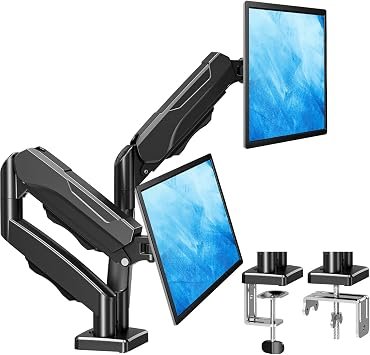
A gas-spring dual arm whose manual includes a dimensioned drawing, which makes it the easier of the two arms to check against wide screens.
Manufacturer and listing specifications
- Variant: Dual (ASIN B07Z7ZM8CJ, model MU0005).
- Screens: up to 32 inches; load 2–8 kg per arm. VESA 75 × 75 and 100 × 100 mm.
- Geometry (manual drawing): mounting plates 759–935 mm apart at full spread; arm sections of 160 mm and 192–280 mm; height 150–420 mm.
- Extension: MOUNTUP’s product page states 19.9 inches (about 50 cm); the Amazon.ae listing states 17.3 inches (about 44 cm).
- Desk: the manual drawing shows 10–115 mm for the C-clamp and 10–80 mm for the grommet, with a 10–60 mm hole; the listing gives 1–5 cm for the standard C-clamp.
- Warranty: 10 years on the Amazon.ae listing; 3 years on MOUNTUP’s own product page.
two 27-inch reference screens need mounting-plate centres approximately 62 cm apart. The full-spread dimensions do not by themselves establish that narrower positioning at the required depth. Confirm the exact supplied version, joint geometry, clamp range and UAE warranty with the seller before ordering.
Two 24–27-inch monitors, once clamp range and warranty are confirmed
Check current details on Amazon.ae.
Advantages
- Dimensioned manual drawing for planning screen spacing.
- Rotates for a landscape-plus-portrait layout.
- MOUNTUP publishes clamp clearances for desks with frames or panels.
Limitations
- Clamp range, extension and warranty differ between the listing and MOUNTUP’s own sources.
- Grommet hole limit of 60 mm does not cover larger cable holes.
- Desks with a frame, side panel or back panel need the clearances MOUNTUP specifies.
How this guide was researched
This guide is desk research, not hands-on testing. WorkspaceWorth did not install, measure or use these products.
- Desk widths and depths were worked out from published monitor housing and stand dimensions, with planning allowances stated in each example.
- Ergonomic distances and screen height follow OSHA’s computer workstation guidance.
- Only exact Amazon.ae listings were considered, with stock and delivery checked to a Dubai address on 11 November 2026.
- Listings had to pass an editorial screening threshold for customer feedback. This is a screening step, not proof of quality.
- Conflicting specifications are shown rather than resolved in a product’s favour.
- Three leads were excluded where listing information or reliability evidence could not be resolved, or where the product type did not fit (a freestanding stand is not a clamp-mounted arm).
- Both arm manuals and manufacturer product pages were checked on 11 November 2026; where they differ from the Amazon.ae listing, both figures are shown.
- Shortlisting is not independent confirmation: desk construction at the clamp point still needs checking with each desk maker.
How to choose the right desk size for two monitors
- Measure your monitors. Use the housing width and stand depth from the specification sheet, not the diagonal.
- Choose a layout. Side by side needs the most width; landscape-plus-portrait or stacked layouts need less.
- Add accessories. Include a laptop, speakers, microphone arm and anything else that stays on the desk.
- Check depth. Aim for 50–100 cm from eye to screen; choose 70–80 cm depth for 27–32-inch screens, or use an arm.
- Plan the room. Leave chair space behind, a gap at the wall for cables, and clearance above a standing desk.
Home, office, study and gaming setups
- Home workspaces: a 120 cm desk with landscape-plus-portrait screens often fits a bedroom corner.
- Professional offices: check workplace furniture standards and existing desk depth before adding a second screen.
- Students: two 24-inch screens can fit a 120 × 60 cm desk; measure the remaining space if you also need an open notebook.
- Gamers and creators: a 160 cm desk leaves room for speakers, a microphone arm and a stream controller.
UAE buying considerations
- Delivery: large desks are heavy; check delivery to your building and lift access, especially in older apartment blocks.
- Assembly: follow each product’s assembly manual for tools and the number of people needed, and check whether your building restricts noise hours.
- Returns: returning a 20 kg-plus desk may involve collection arrangements; check the seller’s conditions before ordering.
- Warranty: listing warranty claims may be handled by the brand or seller rather than Amazon.ae; confirm UAE cover.
- Electrical: electric desks need a nearby socket; check the plug type supplied and use a suitable surge-protected extension.
- Rentals: clamp-mounted arms avoid drilling walls, but check the desk’s rear edge is free of frames and beams.
Returns and warranty checks: the Amazon Basics, ErGear, VASAGLE and MOUNTUP listings showed free returns within the allowed return period for new, unused items when checked on 11 November 2026. HUANUO advertised easy returns without a specific period in the retrieved details. Check the selected offer’s exact conditions before buying. UAE warranty cover was not independently confirmed; MOUNTUP’s published warranty figures conflict, so obtain seller confirmation.
Allow room for task lighting when planning desktop space. Compare base lamps, clamp lamps and monitor light bars before choosing the mounting position.
Related WorkspaceWorth guides
- Best monitor arms in the UAE: single and dual options
- Best small desks for home offices in the UAE
- Home office setup in the UAE: seven steps
- Best laptop stands in the UAE
- Best office chairs for home working in the UAE
- Home office cable management for UAE renters
Frequently asked questions
Is a 120 cm desk enough for two monitors?
Usually for two 24-inch monitors, which need about 109 cm side by side. It is too narrow for two flat 27-inch screens unless one is in portrait or the screens are angled steeply.
Will two 27-inch monitors fit on a 140 cm desk?
Generally yes. Two typical 27-inch housings measure about 123 cm with a small gap, leaving roughly 8 cm each side. Check your model’s housing width.
Is 60 cm desk depth enough for two monitors?
It works for 24-inch screens and is tight for 27-inch screens on stands. For 32-inch screens, choose 70–80 cm or use a monitor arm.
Is a 160 cm desk enough for two 32-inch monitors?
It can fit, with about 8 cm each side for a 71 cm-wide housing. A 180 × 80 cm desk is more comfortable.
How much space does a dual monitor arm need behind a desk?
It needs access to the rear edge for the clamp and room for the joints to swing. Many arm listings, including the HUANUO HNDS6, do not state this, so check the manual before pushing the desk against a wall.
Can two monitors fit on a small desk?
Yes, with a landscape-plus-portrait or stacked layout, or with smaller screens. A 100–120 cm desk can work this way.
Should I use portrait or stacked monitors?
Portrait saves width and keeps both screens near eye level. Stacked saves the most width but places one screen above eye level, so it suits occasional viewing.
How do I measure my existing setup?
Measure each monitor’s outside width, stand depth and height, then the desk top. Add the gap between screens and any accessories that stay on the desk.
Does a monitor arm let me use a smaller desk?
It recovers depth and the space under the screens. It does not reduce the screens’ combined width or the distance you need from them.
What desk size suits two monitors and a laptop?
About 160 cm for two 24-inch screens with the laptop beside them, or 180 cm for two 27-inch screens. A laptop stand in front can save width.
Conclusion
For two 24-inch monitors, a 120 × 60 cm desk such as the Amazon Basics model is enough. For two 27-inch screens, start at 140 × 70 cm with the ErGear desk, or choose the 160 × 70 cm VASAGLE for side space. For two 32-inch screens, plan for 160–180 cm wide and about 80 cm deep. This guide does not yet recommend a dual arm for 32-inch screens. Based on manufacturer documentation and product dimensions, the MOUNTUP MU0005 is a potential option for 24–27-inch screens and the HUANUO HNDS6 for 24-inch screens, subject to confirmed screen spacing, rear clearance, your desk’s construction and the supplied clamp.
Sources
Viewing-distance and screen-height guidance comes from the U.S. Occupational Safety and Health Administration’s Computer Workstations eTool; it supports the general ranges used here, not the desk-depth planning examples. Monitor dimensions come from Dell’s own documentation: the Dell P2725H user’s guide, the Dell S2425H/S2725H user’s guide and the Dell S3225QS specifications. Monitor arm details come from the HUANUO HNDS6 manual, HUANUO’s HNDS6 product page, the MOUNTUP MU0005 manual and MOUNTUP’s product page. Product specifications come from the linked Amazon.ae listings, checked on 11 November 2026.