
Affiliate disclosure: As an Amazon Associate I earn from qualifying purchases. WorkspaceWorth may earn a commission when you buy through links on this page, at no extra cost to you. Read the affiliate disclosure.
Quick Answer
For one monitor weighing 2–9 kg without its stand, the HUANUO HNSS6 is a strong candidate. The Amazon Basics DS-MA-E01 is a conditional option for thicker desks because its 10.8 cm limit needs confirming. For two monitors, check the HUANUO HNDS6. Confirm VESA pattern, weight per arm and desk clamp clearance before buying.
A monitor arm lifts a screen off the desk and lets it move for height, distance and angle. Whether one fits depends less on screen size than on monitor weight, the mounting pattern and the desk edge. This guide compares three single and dual monitor arms sold on Amazon.ae for UAE homes, offices, study spaces and gaming setups.
The guide is based on desk research dated 3 November 2026. No product was installed or tested by WorkspaceWorth.
Monitor arms compared
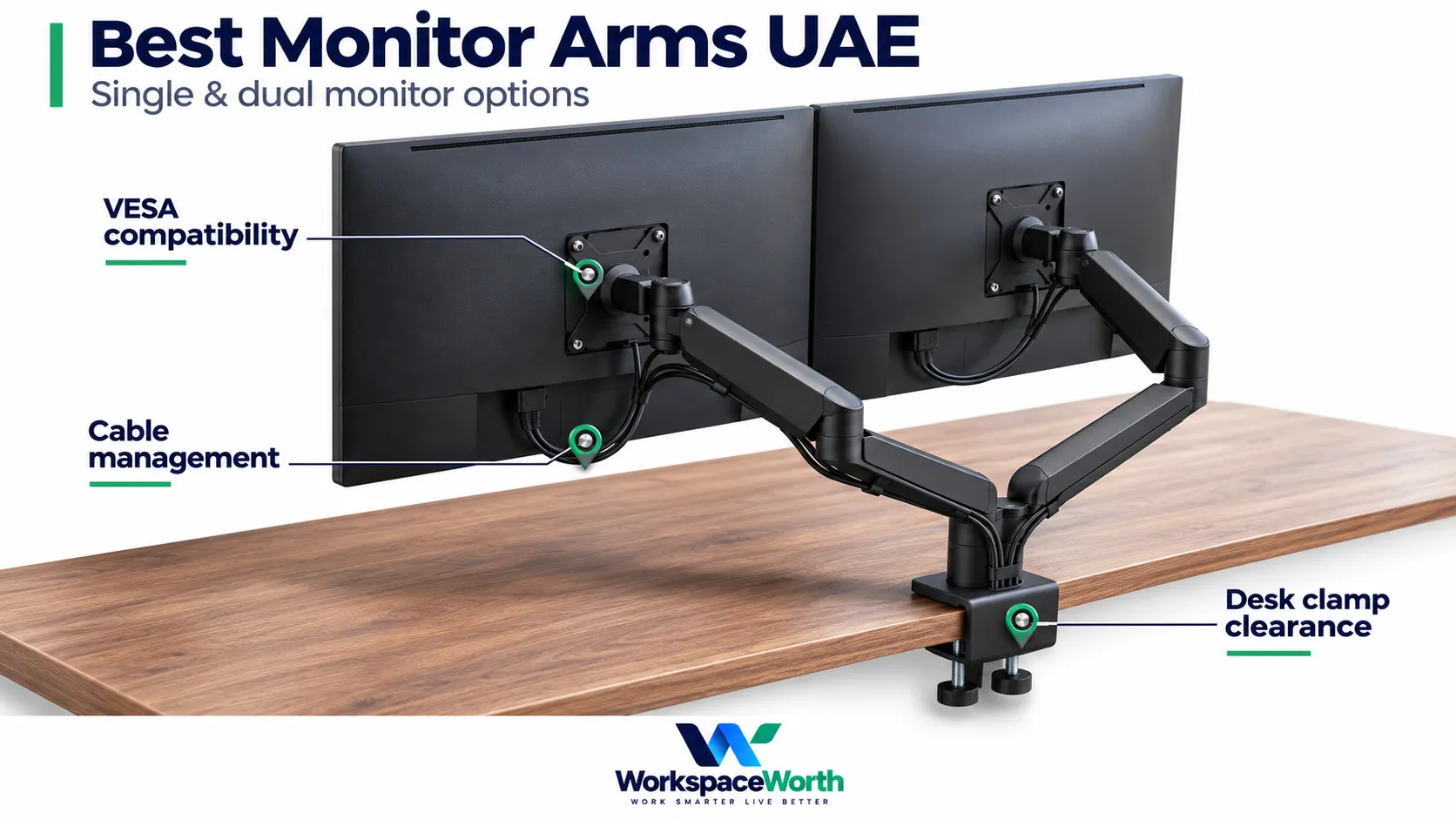
Load figures refer to the monitor without its original stand. These are listing-stated specifications; check capacity for each screen on a dual arm.
Single and dual monitor arm shortlist
| Product and best fit | Type | Load per arm | VESA (mm) | Desk thickness | Main limitation | Price and availability |
|---|---|---|---|---|---|---|
| HUANUO FlowLift HNSS6 One monitor up to 32 inches | Single | 2–9 kg | 75 × 75; 100 × 100 | 1–7.5 cm | Wood tops recommended; grommet hole size not stated | Check price on Amazon.ae |
| Amazon Basics DS-MA-E01 Conditional option for thicker desks | Single | Up to 10 kg; minimum not stated | 75 × 75; 100 × 100 | 1–10.8 cm (listing-stated; confirm upper limit) | 10.8 cm clamp limit unconfirmed; minimum load not stated | Check price on Amazon.ae |
| HUANUO FlowLift Dual HNDS6 Two monitors on a wooden desk | Dual | 2–9 kg per arm | 75 × 75; 100 × 100 | 1.5–9 cm | Not for plastic or glass; grommet hole size not stated | Check price on Amazon.ae |
The three monitor arms in detail
01HUANUO FlowLift HNSS6
One monitor up to 32 inches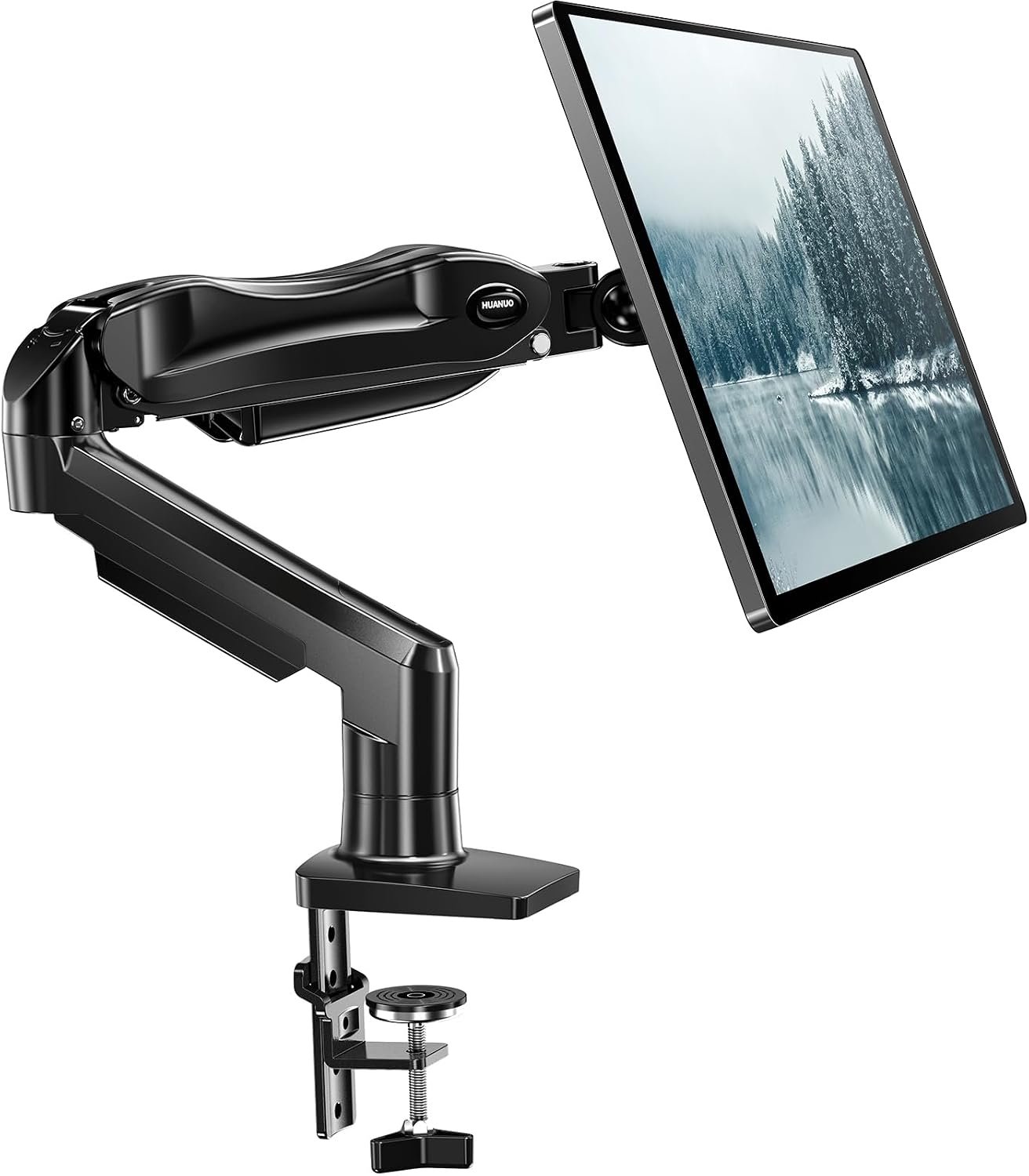
It states both a minimum and maximum load, and its load and height figures match between Amazon.ae and HUANUO’s own site. That makes it the easiest option here to check against a specific monitor and desk.
Specifications and verification notes
- Model HNSS6, black, ASIN B07T3KCQ94.
- Screens: 13–32 inches. Load: 2–9 kg.
- VESA: 75 × 75 and 100 × 100 mm.
- Desk: clamp or grommet, 1–7.5 cm thick. Wood tops are recommended, ideally with no beams or panels underneath.
- Movement: lift up to 40 cm, reach up to about 44 cm, tilt +85°/−50°, swivel ±90°, rotation 360°.
a sensible default for a standard desk and a monitor well inside 9 kg. Check the rear of the monitor if it is curved, because the mount needs a flat seat.
One monitor up to 32 inches
Check current details on Amazon.ae.
Advantages
- A clear stated load range to compare with your monitor.
- Load and height figures that match HUANUO’s own site.
Limitations
- Grommet hole size is not stated on the listing.
- Cable routing is not described in detail.
- Warranty terms for UAE buyers need confirming.
02Amazon Basics DS-MA-E01
Conditional option for thicker desks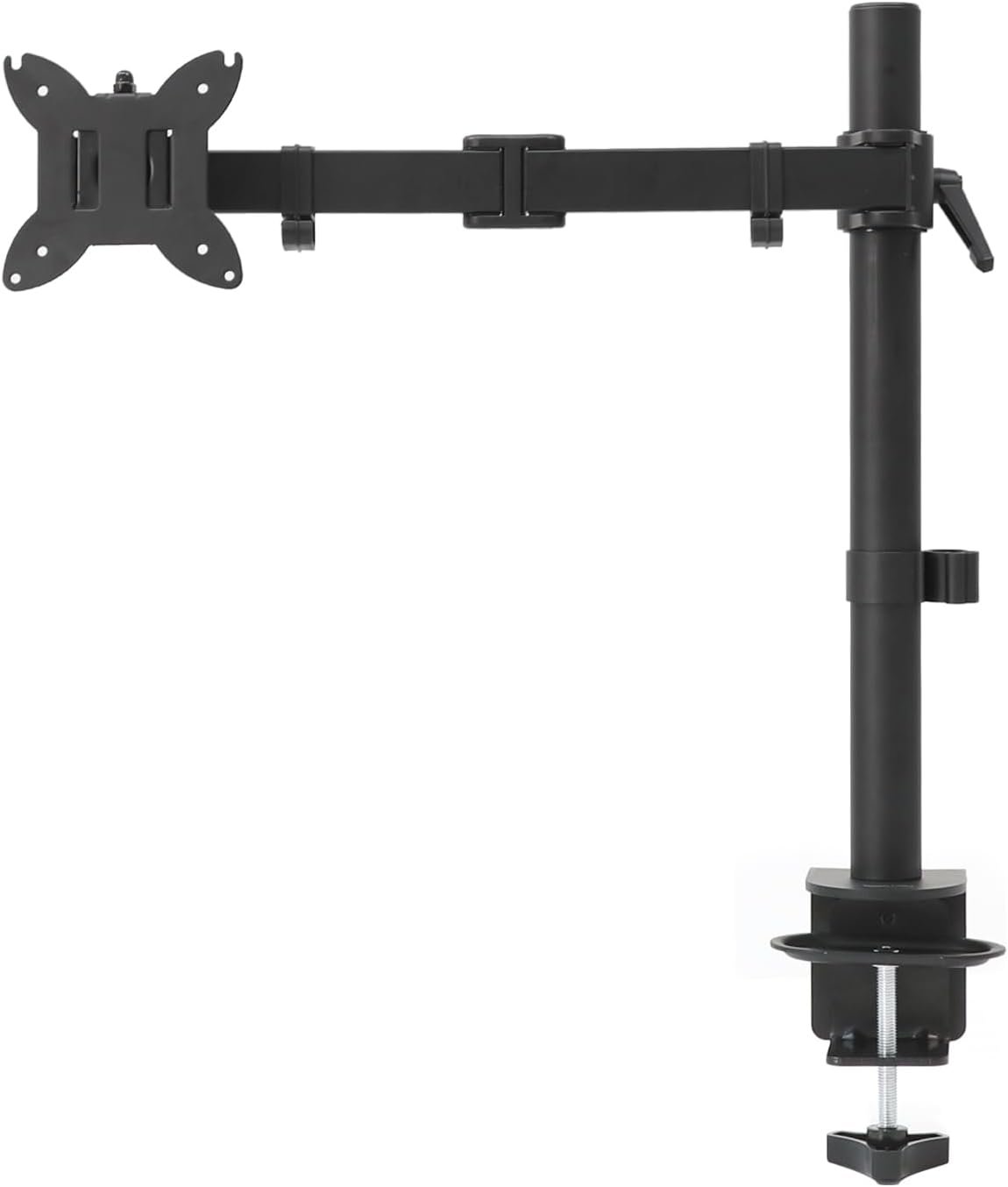
It has the widest listing-stated desk range in this guide, and at the research date it was sold and shipped by Amazon.ae.
Specifications and verification notes
- Model DS-MA-E01, black, ASIN B0CQXL5S4T.
- Screens: 13–32 inches; the listing title also claims ultrawide screens up to 96.5 cm. Load: up to 10 kg.
- VESA: 75 × 75 and 100 × 100 mm, with spacers where the mounting depth requires them.
- Desk: clamp or grommet, 1.0–10.8 cm thick.
- Movement: tilt −45°/+90°, swivel ±90°, rotation 360°.
a conditional option, worth considering when desk thickness rules out the other arms here and the clamp limit has been confirmed. The listing warns that performance depends on load and extension, so check both against your exact monitor.
Conditional option for thicker desks
Check current details on Amazon.ae.
Advantages
- Lists a wider desk range than the other arms here.
- Highest stated maximum load in this guide, at 10 kg.
Limitations
- No minimum load, height or reach is stated on the listing.
- The listing says tension and joints must be adjusted to suit each monitor.
- The 10.8 cm limit comes from the listing, so confirm it before relying on it for an unusually thick desk.
03HUANUO FlowLift Dual HNDS6
Two monitors on a wooden desk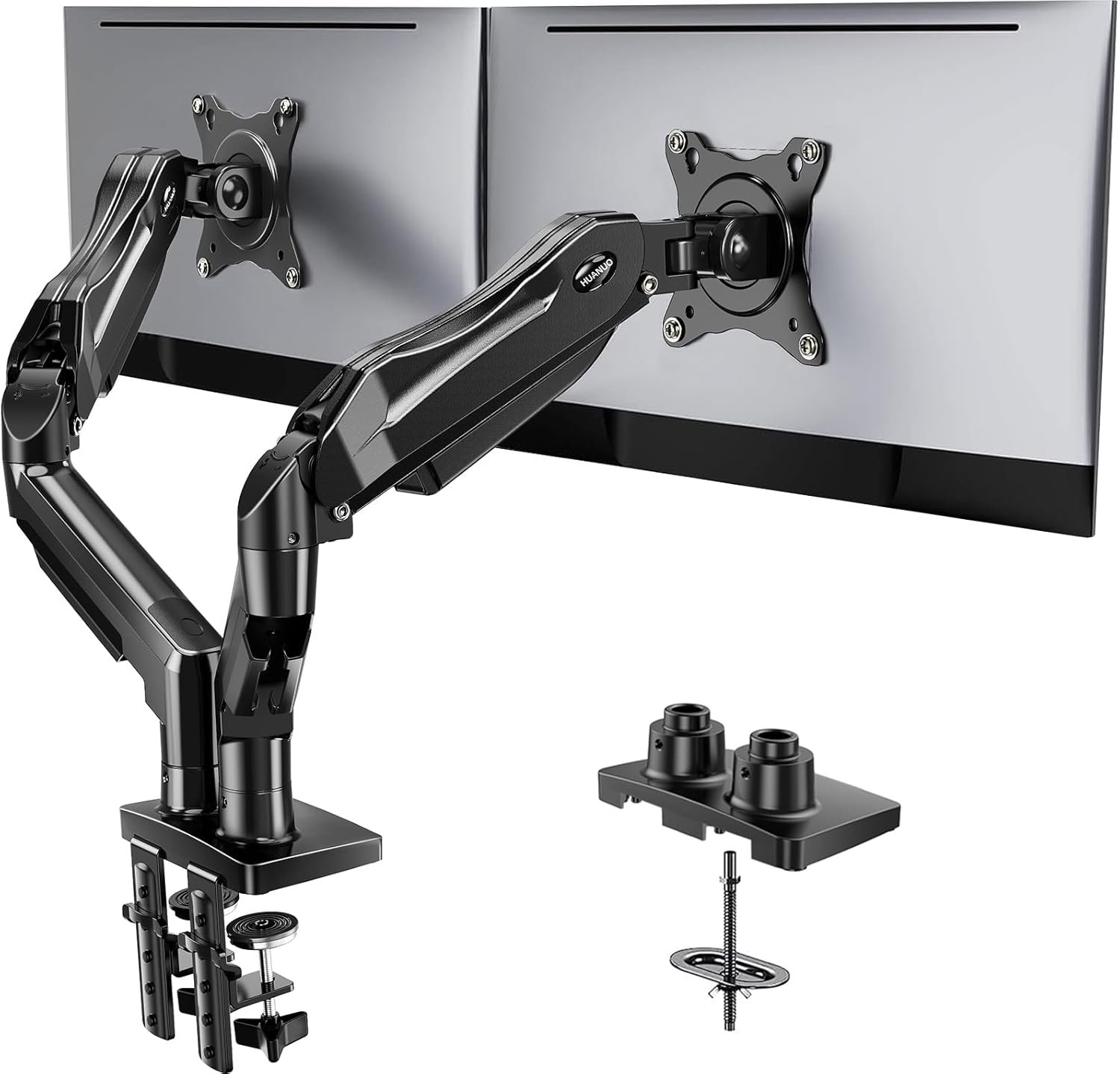
It is the one dual arm here whose listing states per-arm limits and desk conditions without an unresolved conflict.
Specifications and verification notes
- Model HNDS6, ASIN B07T5SY43L.
- Screens: 13–32 inches each. Load: 2–9 kg per arm.
- VESA: 75 × 75 and 100 × 100 mm.
- Desk: wooden tops 1.5–9 cm thick, by clamp or grommet, with no beams or panels underneath. Plastic and glass desks are excluded.
- Movement: raises screens up to 41 cm, tilt +85°/−50°, swivel ±90°, rotation 360°.
- Cables: built-in routing along the arms.
the first dual to check for a solid wooden desk. Two 32-inch screens need considerable width, so measure first.
Two monitors on a wooden desk
Check current details on Amazon.ae.
Advantages
- Clear per-arm limits and desk conditions.
- Built-in cable routing along the arms.
Limitations
- Not for plastic or glass desks.
- Maximum reach and grommet hole size are not stated on the listing.
- Two wide screens may not sit close together. Check the arm geometry before ordering.
How these monitor arms were evaluated
This guide is desk research, not hands-on testing. WorkspaceWorth did not install, measure or use these products, and no scores are given.
- Only exact Amazon.ae listings were considered, with UAE delivery checked to Dubai.
- Load, VESA, screen size, desk thickness and mounting method were taken from the listing, then compared with manufacturer or other retailer details where available.
- Listings had to meet an editorial threshold for customer feedback, and recent critical feedback was reviewed. This is a selection filter, not a guarantee of quality or durability.
- Conflicting specifications are shown rather than resolved in a product’s favour.
- Products were held back where a key specification could not be confirmed, or where their main claimed use looked unreliable.
This guide makes no ultrawide or heavy-monitor recommendation. Two other arms, including a second dual option, were held back because sources disagree on their load or clamp limits. The heavier arms reviewed did not meet this guide’s evidence standard.
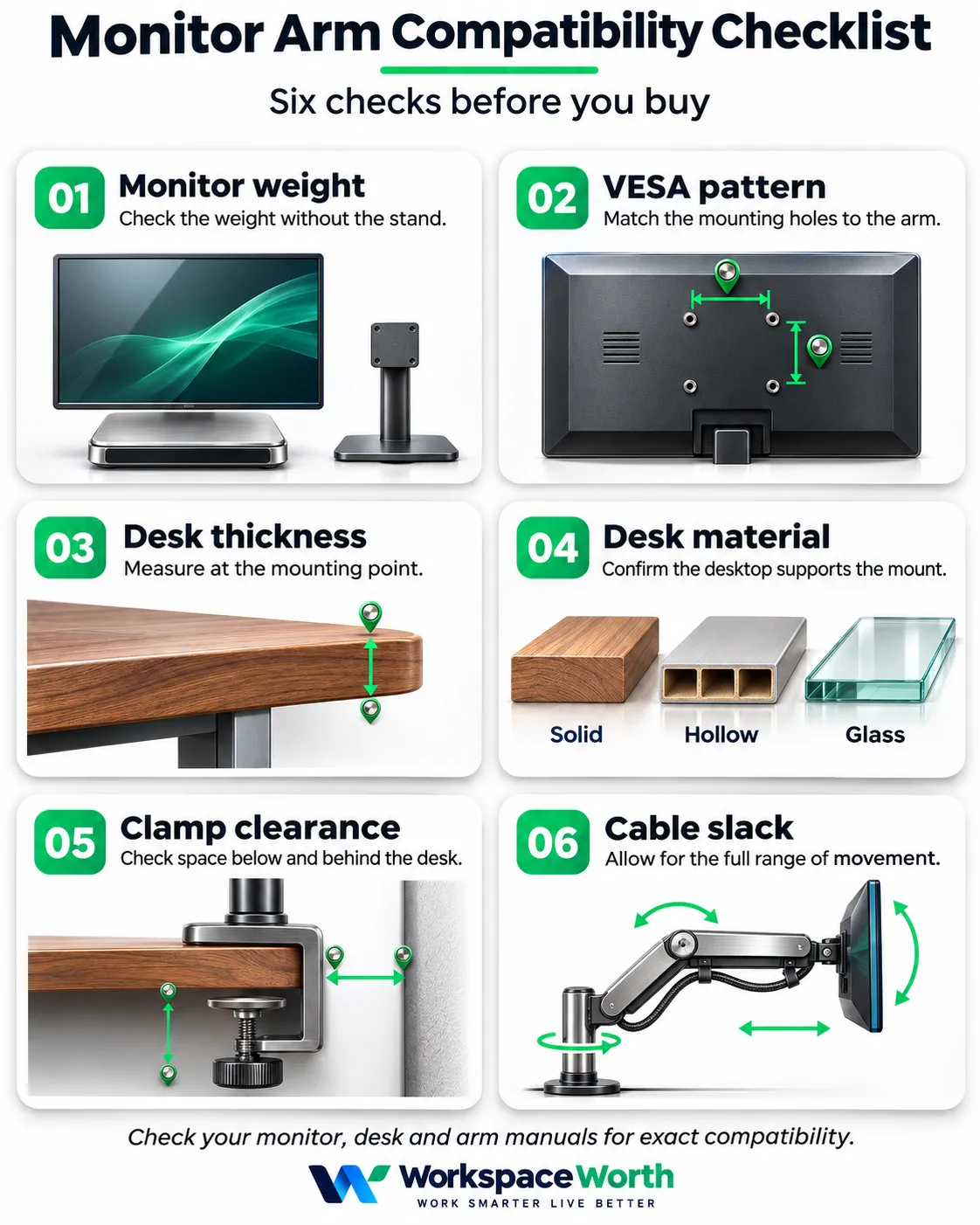
How to choose a monitor arm
Start with the monitor, then the desk. A monitor arm that fits the screen can still fail on the desk edge.
Weigh the monitor without its stand
Compare the panel weight, not the boxed weight or the weight with the stand. Check the manufacturer’s "without stand" figure, or weigh the panel after removing the stand.
Minimum load matters as much as maximum load. A spring tuned for a heavier screen may not hold a very light panel in place, and a screen below the stated range may be unsupported.
Read dual-arm limits per arm
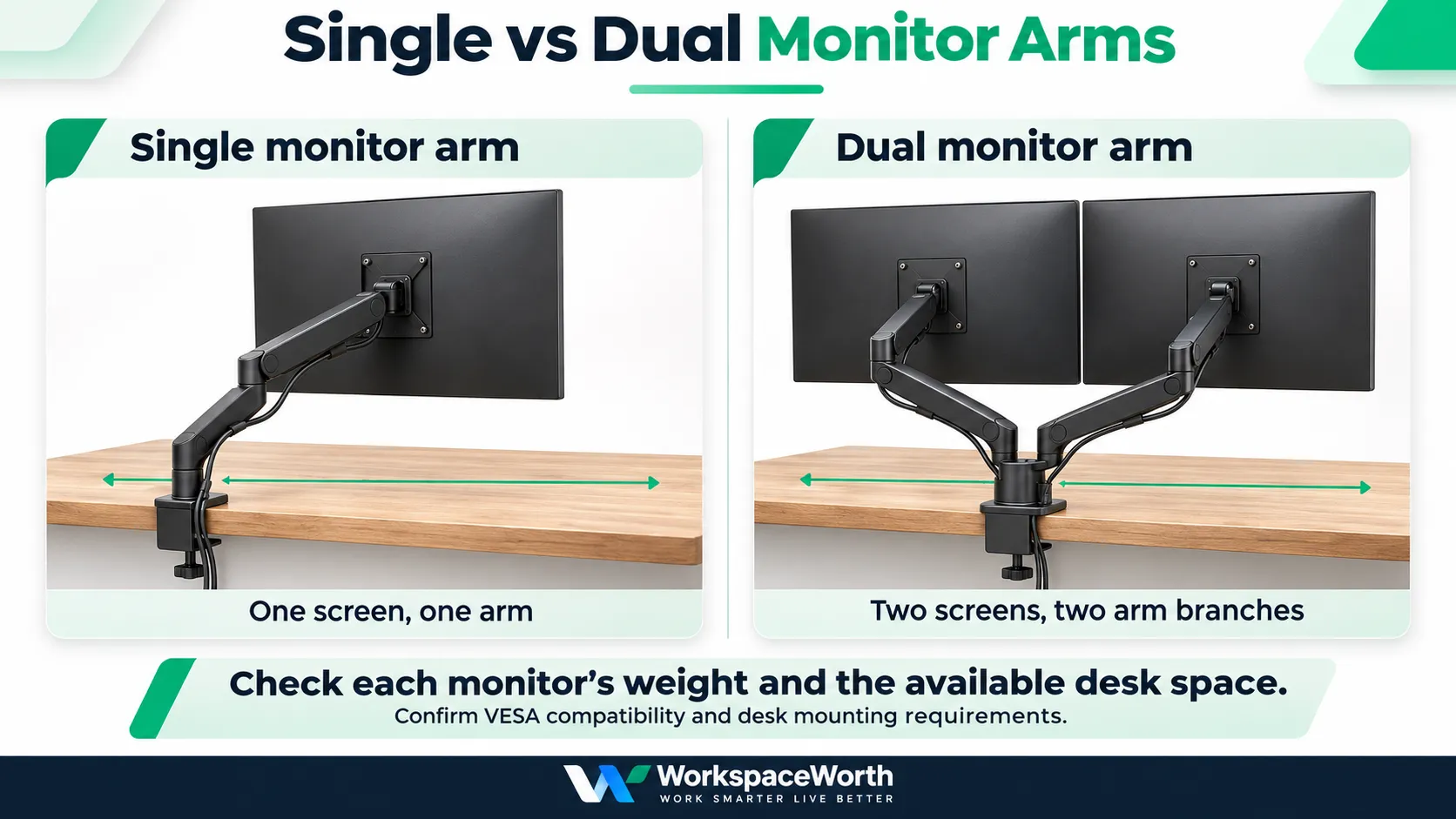
A dual arm rated 2–9 kg per arm does not mean one arm can carry 18 kg. Each screen must meet the limit on its own arm. The desk also carries the combined weight of both screens and the mount.
Check VESA, not just screen size
Screen size alone does not establish compatibility. Two 27-inch monitors can differ in weight and mounting design, and some have no VESA holes at all.
- All three arms here use VESA 75 × 75 or 100 × 100 mm. Screens with other patterns need a suitable adapter, if one exists.
- VESA 75 and 100 mm patterns normally use M4 screws, but screw length varies by monitor.
- Recessed holes may need spacers and longer screws. Do not force a screw that does not reach cleanly.
Check curved and ultrawide fit
Weight alone does not settle compatibility for a curved or ultrawide screen. The monitor’s centre of mass, its curvature, the position of its VESA holes and the arm’s extension all affect how the load reaches the arm and desk edge. Follow the exact arm’s stated limits, and check its plate against the rear of the monitor.
Check these measurements before you buy
- Monitor weight without its stand, for each screen.
- VESA pattern and whether the holes are recessed.
- Screen width, height and rear shape.
- Desk thickness at the exact mounting point, not at a thinner or thicker edge.
- Desk top material, and whether it is solid, hollow or glass.
- Clearance below the desk for the clamp, including frames, aprons, drawers and cable trays.
- Clearance behind the desk for the clamp and the arm’s movement.
- Distance to walls, skirting and sockets.
- Grommet hole diameter, if using one, and the arm’s accepted range.
- Total width needed for two screens side by side.
- Cable length at full height and full extension.
There is no universal clearance or load margin. Use the figures in the manual for the specific arm.
Desk material and structure
Clamps concentrate force on a small area, so desk construction matters.
- Solid wood or thick engineered tops: generally the expected surface, subject to the arm’s thickness range.
- Hollow-core tops: check with the desk maker, because the surface may not resist clamp pressure.
- Glass: the HUANUO HNDS6 excludes it. Check the manual for any other arm.
- Reinforcement plates: use one only if the arm or desk manufacturer approves it. A plate does not make every desk safe.
Grommets, clearance and rear space
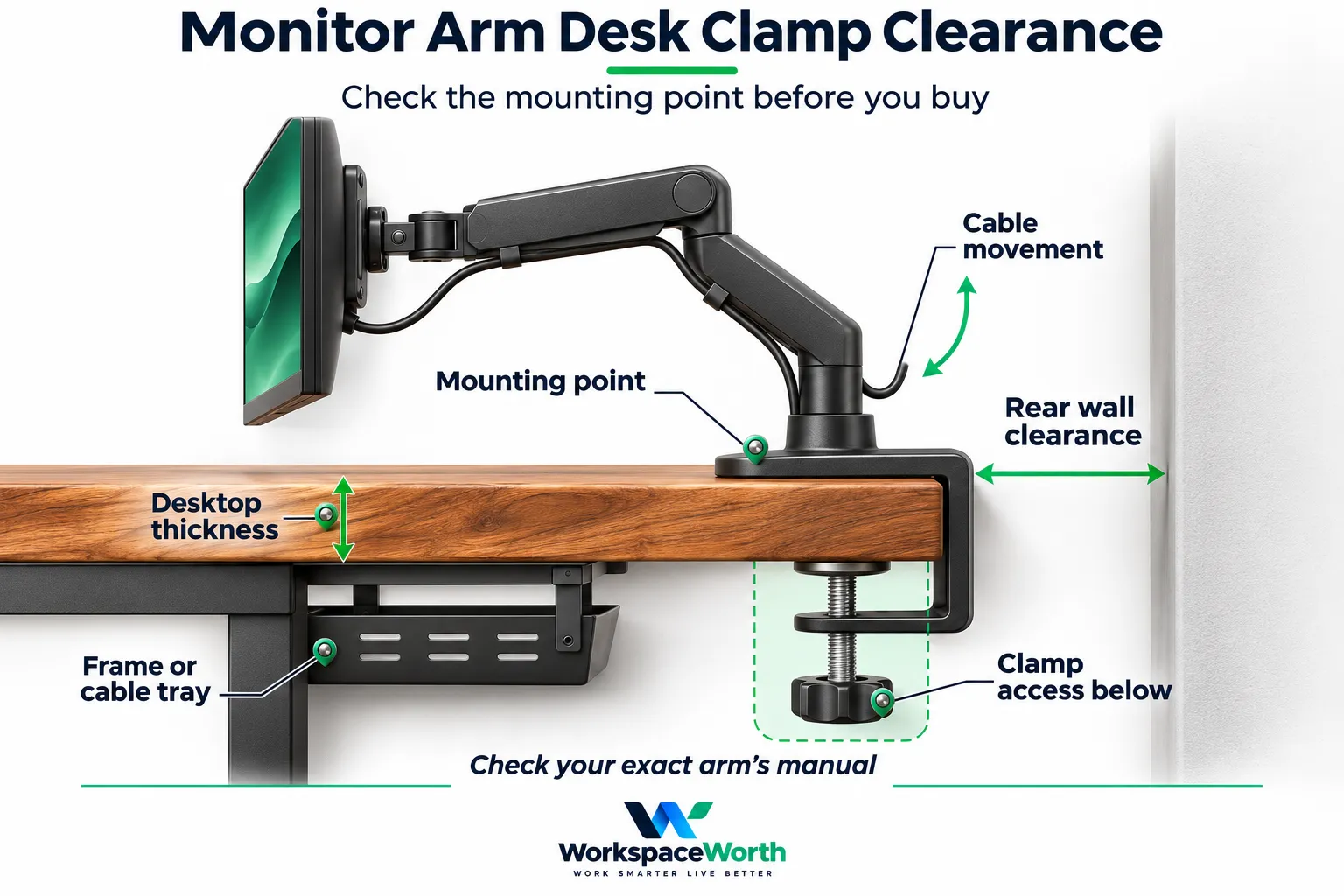
Grommet mounting uses a hole through the desk, so it can avoid a clamp’s edge problems. It needs a hole in the accepted size range, and the desk owner’s permission if the desk is not yours.
Desks against a wall need particular care. The arm’s elbows often swing behind the screen, so limited rear space can restrict movement. Test the planned position with a tape measure before ordering.
Two monitors side by side
As a guide, a 16:9 panel’s width is about 53 cm at 24 inches, 60 cm at 27 inches and 71 cm at 32 inches, before bezels. Two 27-inch screens therefore need about 120 cm or more. Measure the actual monitors, because these are calculated figures.
Cables and standing desks
Leave enough slack for the arm’s full movement, or cables can pull tight at the connectors. Route power and video cables along the arm before final tensioning.
On a sit-stand setup, cables must also cover the desk’s full travel. Add the arm’s weight to the desk’s load calculation. Use the weight given for your exact arm. Confirm the desk’s lifting capacity with its maker.
Installation
Follow the manufacturer’s instructions for the exact model. Attach the monitor before adjusting tension where the manual says so, and hold the screen while setting it. Recheck the clamp and screws after installation.
UAE buying considerations
Conditions differ by listing and can change, so confirm them on the page for the exact variant.
- Delivery: enter your own emirate and area on Amazon.ae. Delivery was checked to Dubai only for this guide.
- Seller: two of the three were sold by third-party sellers and fulfilled by Amazon at the research date. The Amazon Basics arm was sold and shipped by Amazon.ae.
- Warranty: the HNDS6 listing shows a 3-year manufacturer warranty, and the other two listings show no warranty term. UAE cover is unconfirmed for all three, so ask the seller before relying on one.
- Returns: at the research date, all three listings showed a 15-day return period from delivery, with a full refund or replacement. Check the terms on the listing. Keep the packaging until the arm is installed and working.
- Assembly: these arms are self-installed. No assembly service was verified.
- Apartments and offices: clamps avoid wall drilling, but they can still mark a desk. For a rented or company desk, check before drilling a grommet hole.
- Local alternatives: UAE stores also sell monitor arms, but they were outside this Amazon.ae comparison.
Related guides
- Home Office Setup UAE: 7 Essential Steps for Better Fit covers screen position, layout and cables.
- Best Small Desks for Home Offices in the UAE compares compact desks for one or two monitors.
- Best Office Chairs for Home Working in the UAE helps match seating to your screen height.
Frequently asked questions
Are monitor arms worth it?
A monitor arm can free desk space and provide more adjustment than a fixed stand. It is less useful if your monitor stand already suits you, or your desk cannot take a clamp.
How do I know if my monitor will fit a monitor arm?
Check three things: VESA pattern, weight without the stand, and screen size range. All three must fall within the arm’s stated limits.
Does the weight limit include the monitor stand?
No. The stand is removed for mounting, so compare the monitor’s weight without it.
What does a dual monitor arm’s weight limit mean?
Dual arm limits are normally stated per arm. Each screen must meet that limit, and the desk carries the combined weight. Check the listing wording, because not every source states this clearly.
What if my monitor has no VESA holes?
It will not fit these arms directly. Some models have maker-specific adapters, so check with the monitor manufacturer before buying an arm.
Can a monitor arm be used on a glass desk?
The HUANUO HNDS6 excludes glass. For other arms, follow the manual, and treat a glass top as unsuitable unless the arm and desk makers both approve it.
Can a monitor arm be installed on a hollow-core desk?
This depends on the specific top. Ask the desk maker whether it accepts clamp loads, and whether a reinforcement plate is approved.
Is a clamp or grommet mount better?
A clamp needs no drilling but requires clear space at the desk edge. A grommet needs a hole but can suit desks where frames or walls block a clamp.
Can a monitor arm be used with a standing desk?
Generally yes, if the desktop meets the arm’s limits. Add the arm and screen weight to the desk’s load, and leave cable slack for full travel.
Can one of these arms hold a 49-inch ultrawide?
None of the three is listed for 49-inch screens, and this guide does not recommend a heavy-duty arm for them at present. Check a dedicated arm’s manual against the monitor’s exact weight and width.
Conclusion
For one monitor, start with the HUANUO HNSS6. Compare the Amazon Basics arm only if you need its wider listed desk range and can confirm the limit. For two monitors, the HUANUO HNDS6 suits solid wooden desks. Measure the monitor and desk first, because compatibility decides whether any of these arms will work.
Sources
Product specifications are drawn from the exact Amazon.ae listings linked above and the supplied research pack dated 3 November 2026. HNSS6 details were compared with HUANUO’s HNSS6 overview. Listing-stated figures and unresolved checks are identified in the product cards. Follow your monitor and arm manuals for mounting screws, installation and exact compatibility.