
Affiliate disclosure: As an Amazon Associate, WorkspaceWorth earns from qualifying purchases. See the affiliate disclosure for details.
A good home office setup in a UAE apartment starts with a tape measure, not a shopping basket. Bedrooms, living-room corners and alcoves in apartments across the emirates vary widely in size, socket placement and light, so this guide works through seven essential steps in order: location, measurements, desk and chair, screens, lighting, cables, and a final check before ordering.
What this guide covers
This is a setup guide with a small number of product examples, not a product roundup. Measurements are given in centimetres. Layouts marked "illustrative" are planning examples with stated assumptions, not standards.
For how products are selected, see how WorkspaceWorth reviews products. For how the site earns commission, see the affiliate disclosure.
Step 1: Choose a workspace location
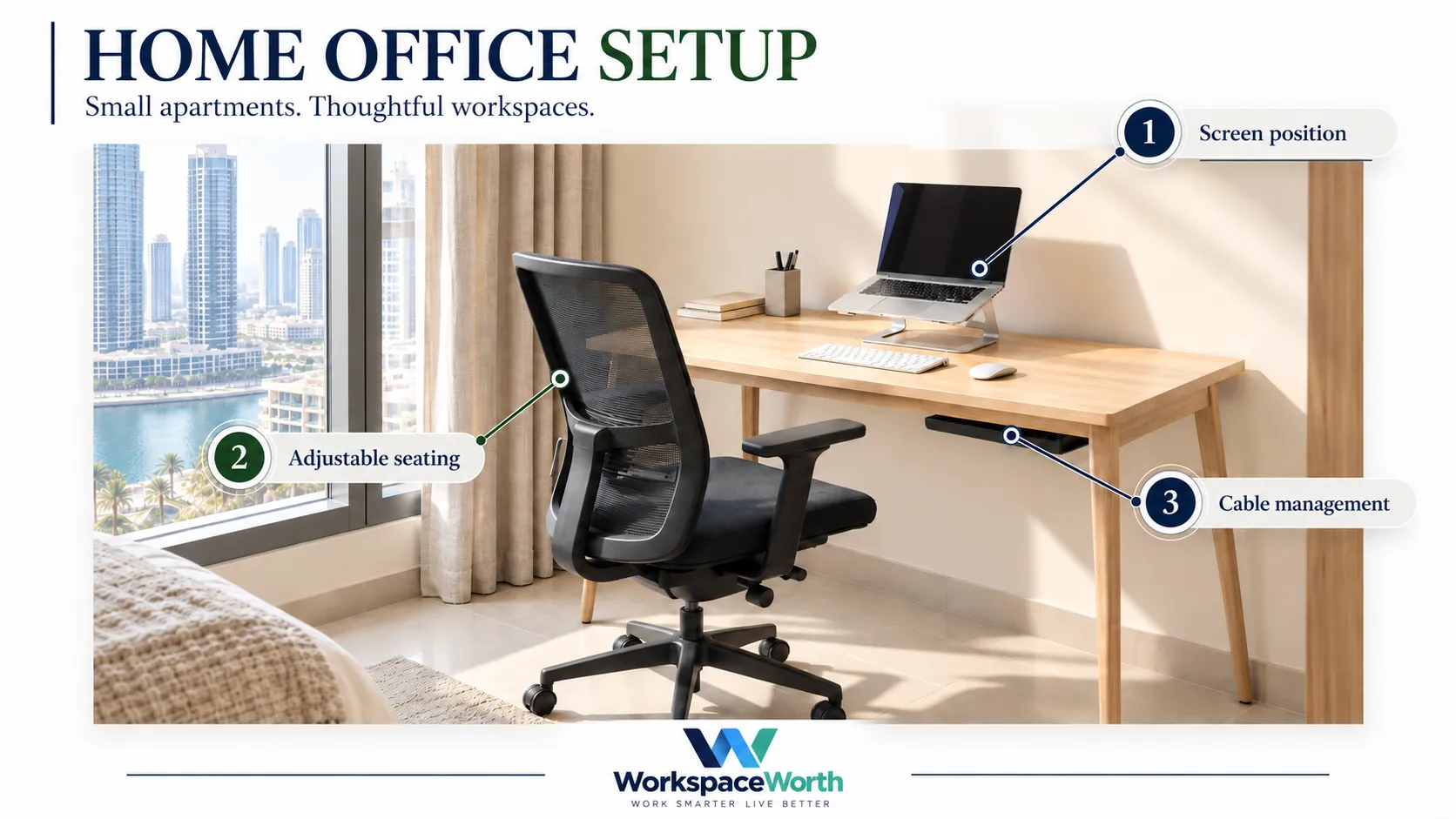
The best location is the one that gives a stable surface, a nearby socket, workable light and the least disruption to the rest of the home. Common UAE apartment options include:
- A bedroom wall. Usually the quietest option, but work and rest share a room. A compact desk against a wall is a common arrangement.
- A living-room corner. Often has better natural light, but more noise and foot traffic. Works best when the desk sits out of the main walkway.
- A narrow wall or alcove. Alcoves beside wardrobes or under stairs in duplex units can fit a compact desk, but check ventilation and the nearest socket.
- A shared household workspace. Two people working in one room need separate desk zones, headphones for calls, and an agreed quiet-hours plan.
- A portable setup. A dining table plus a laptop stand, keyboard and mouse that pack into a box at the end of the day suits renters who cannot dedicate space.
Before deciding, check four practical conditions:
- Sockets. Note where the nearest wall socket is. A desk two metres from a socket needs a planned cable route that avoids walkways.
- AC airflow. Sitting directly under or in front of a split AC unit can be uncomfortable for long sessions. A position slightly to the side of the airflow is often easier to live with.
- Wi-Fi. Test the connection at the planned desk position with a video call before buying furniture. Bedrooms far from the router may need a mesh unit or a wired connection.
- Landlord restrictions. Many tenancy agreements limit drilling. Freestanding desks, clamp-on accessories and clamp-mounted cable trays avoid wall fixings. Check the tenancy contract or ask the landlord before drilling.
Step 2: Measure the usable space
The desk is only part of the space needed. A complete workspace includes the desk footprint, the chair, the space to pull the chair out, and any walkway past it.
Measure and write down:
- Wall length available for the desk, in centimetres.
- Distance from the wall to the nearest obstacle behind the chair (bed, sofa, wardrobe door).
- Height of any window sill, shelf or AC unit above the desk position.
- Position of sockets, switches and window frames.
- Door swing and wardrobe door swing near the desk.
Required fit and optional allowances
Separate what must fit from what makes the space comfortable:
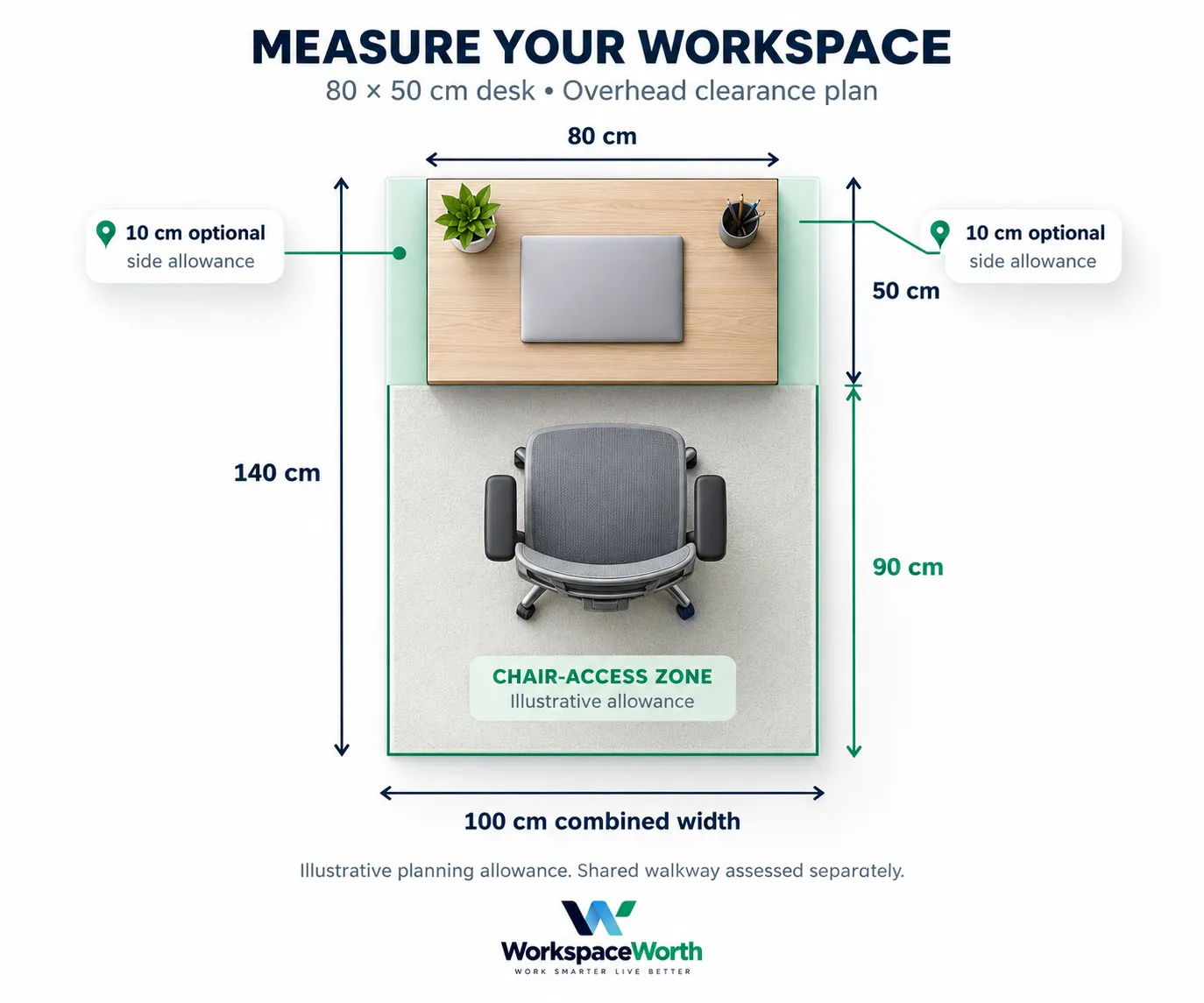
- Required width: the desk itself. An 80 cm desk physically fits an alcove at least 80 cm wide, provided skirting boards, sockets and door frames do not intrude.
- Optional width allowance: about 10 cm on each side for elbow room and cable access. This is an editorial suggestion, not a requirement.
- Chair-access allowance (illustrative): Allow approximately 90 cm behind the desk as an illustrative starting point. Test sitting down, pulling the chair out and standing up, allowing separately for any walkway.
- Walkway (assessed separately): if people need to pass behind the chair, add that route on top of the chair-access allowance. A shared walkway is not included in the figures below.
People with larger chairs, reclining habits or mobility needs will need more space than these illustrations suggest.
Illustrative layouts for UAE apartments
The table below compares five illustrative layouts. Desk sizes come from Amazon.ae listings checked in November 2026. "Required width" is the desk alone; "with allowances" adds the optional 10 cm per side and the 90 cm chair-access allowance.
| Layout | Example desk (W x D) | Required width | Floor zone with allowances (W x D) | Screens | Main limitation |
|---|---|---|---|---|---|
| Bedroom wall | 80 x 50 cm | 80 cm | About 100 x 140 cm | Laptop on stand, or one monitor | Work and sleep share a room |
| Living-room corner, sit-stand | 80 x 48 cm, height 72-118 cm | 80 cm | About 100 x 140 cm | Laptop or one monitor on an arm | Needs a socket for the desk motor |
| Narrow alcove | 80 x 50 cm | 80 cm | About 100 x 140 cm, if the alcove allows | Laptop on stand | Limited light and ventilation in some alcoves |
| Dual-monitor wall | 120 x 60 cm or wider (not product-verified) | 120 cm | About 140 x 150 cm | Two monitors on a dual arm | Needs the most wall length |
| Portable pack-away | Existing dining table | Existing table | Existing table plus chair space | Laptop on stand | Daily set-up and pack-down |
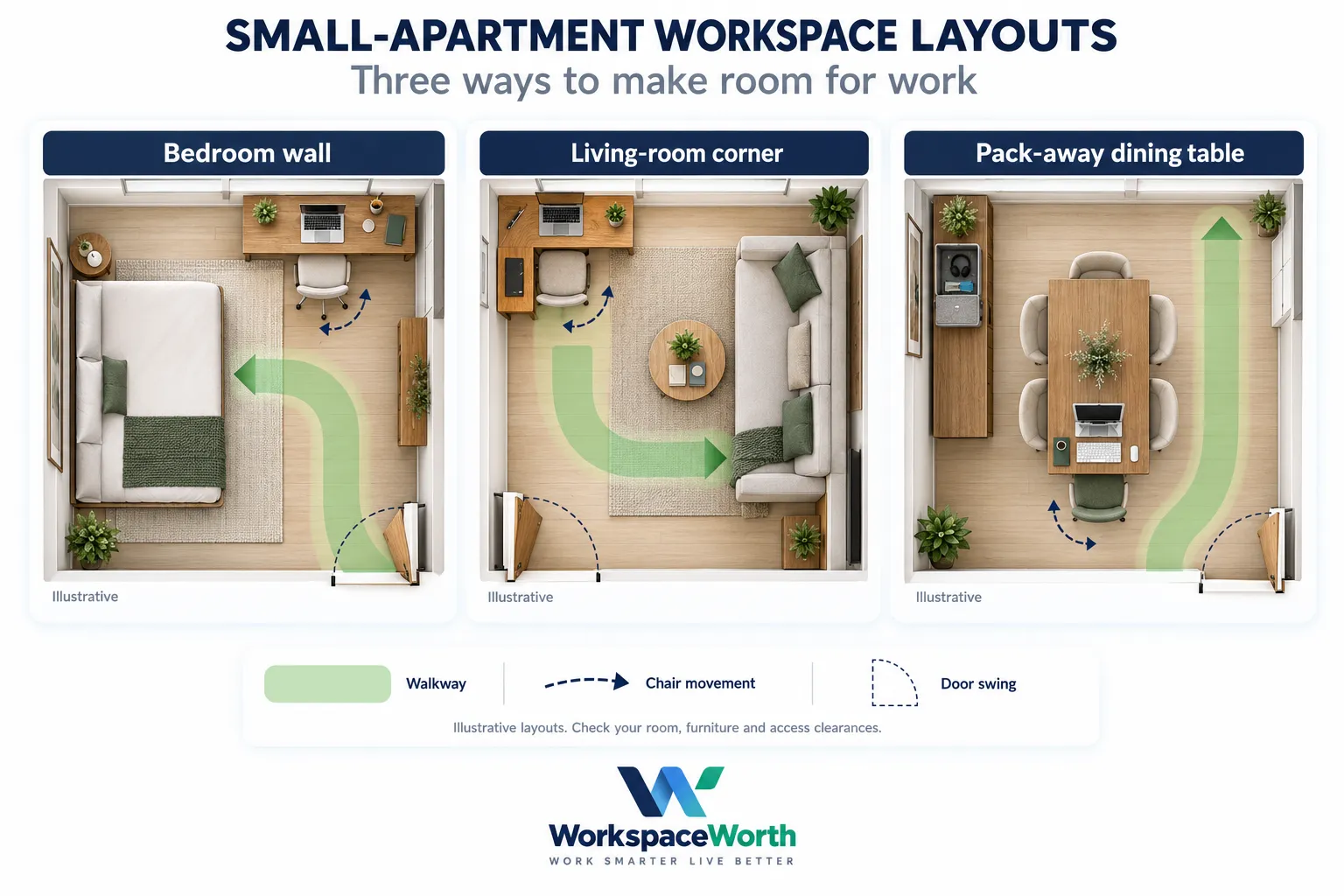
Layout 1, bedroom wall (illustrative). Assumptions: one person, laptop-based work, a wall of at least 80 cm (100 cm with elbow room), and at least 140 cm clear from the wall to the bed. An 80 x 50 cm desk with a laptop stand, external keyboard and mouse, and a desk lamp fits this zone.
Layout 2, living-room corner, sit-stand (illustrative). Assumptions: a corner of at least 80 cm along one wall, a socket within reach of the desk cable, and space for the desk to rise to its maximum height without hitting a shelf or window sill. An 80 x 48 cm electric desk with a 72-118 cm height range is used as an illustrative size only. This guide does not recommend a specific electric desk until its power input and plug are verified for the UAE (see Step 6).
Layout 3, dual-monitor wall (illustrative). Assumptions: two 24-inch 16:9 monitors side by side. Each 24-inch 16:9 panel is roughly 53 cm wide before bezels (calculated from the diagonal), so two screens need about 106 cm plus bezels. A desk of 120 cm or wider is the comfortable choice. A dual monitor arm can let screens overhang the desk edges, but the room still needs that width.
Step 3: Choose a desk and chair together
The desk and chair should be chosen as a pair. A desk that suits the chair height and a chair that fits the floor zone matter more than the look of either piece.
For compact fixed-height options, see our best small desks for home offices in the UAE, comparing dimensions, storage, assembly and measured monitor layouts.
Desk width and depth
- Width. 80 cm suits a laptop or one monitor. Two monitors usually need 120 cm or more.
- Depth. No single depth suits every setup. A 50 cm-deep desk may suit some compact laptop arrangements. Check the actual screen position, keyboard and mouse space, and seated viewing distance before choosing a shallow desktop. A monitor arm can move a screen back over the rear edge and free some depth.
- Height. Fixed desks are commonly around 76 cm high. No single desk height suits everyone; the chair, a footrest or a height-adjustable desk makes up the difference.
- Legroom and storage. Drawers and under-desk shelves reduce knee space. Check the clearance under the desk if storage is built in.
Chair dimensions and adjustment
Our guide to the best office chairs for home working in the UAE compares seat dimensions, adjustment ranges, materials and local warranty notes. Use it alongside your desk measurements.
Check these details on the listing and in the manufacturer manual before ordering:
- Overall footprint, so it fits the floor zone.
- Seat height range, compared with the desk height.
- Whether the armrests flip up or lower enough to slide under the desk.
- Seat depth and backrest adjustment.
- Maximum user weight.
- Floor type the castors suit. Hard floors are common in UAE apartments, and some castors suit them better than others.
The Occupational Safety and Health Administration (OSHA) computer workstation guidance treats the monitor, keyboard, desk and chair as one system arranged around the user. Adjusting one often means adjusting the others.
Step 4: Position the screen and input devices
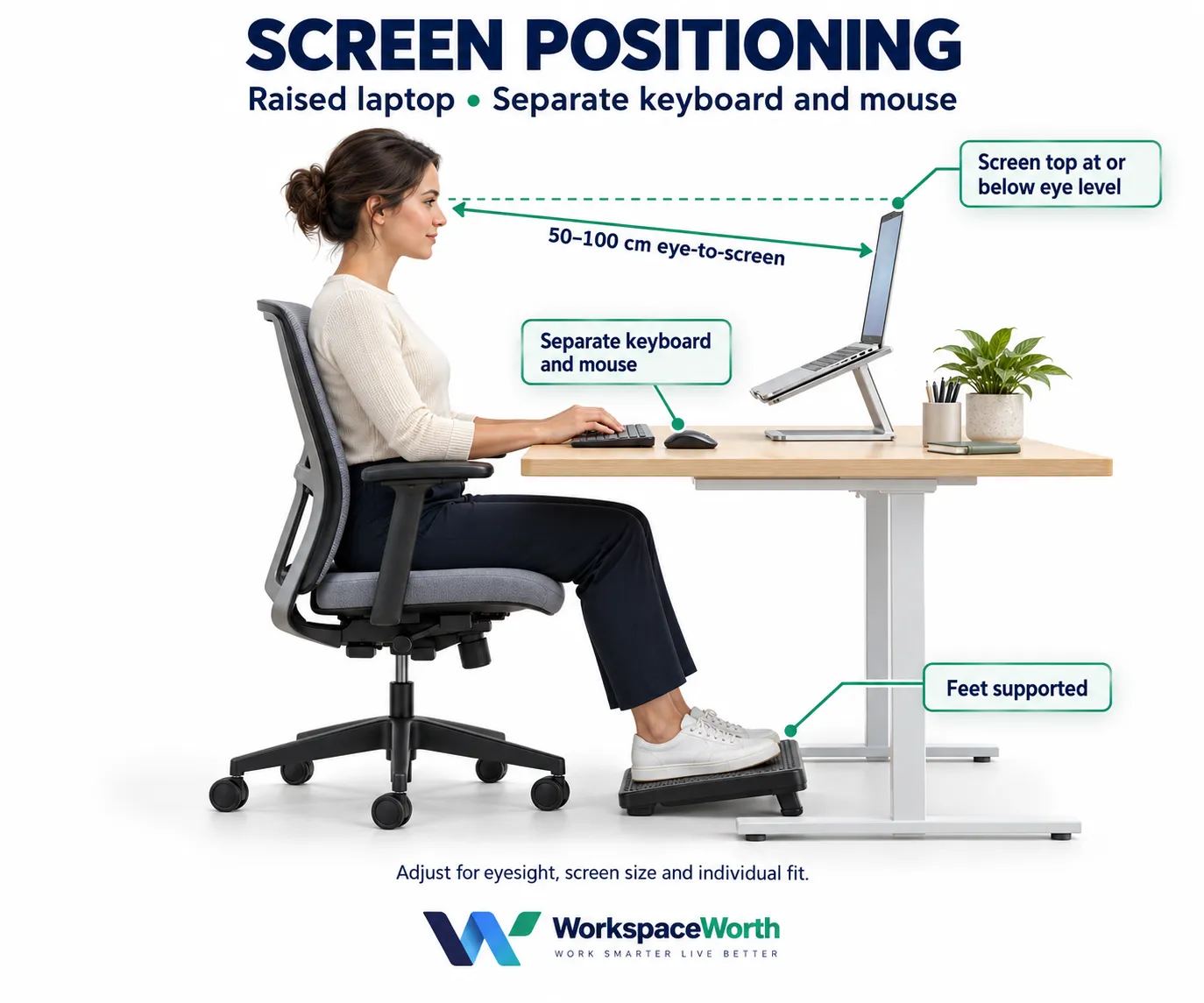
Screen height and distance
OSHA's computer workstation guidance suggests the top of the screen sits at or below eye level, the screen sits directly in front of the user, and the preferred viewing distance is about 50 to 100 cm. These are starting points; eyesight, glasses and screen size all change what works for an individual.
Laptop-only setups
A laptop on a desk leaves the screen low. A laptop stand raises it, but then the built-in keyboard is too high for comfortable typing. Once the laptop is raised, an external keyboard and mouse become useful. For short sessions, the laptop on its own can be acceptable; for full working days, the stand-plus-keyboard arrangement is the more common choice.
Monitor arms and clamp clearance
Our guide to the best monitor arms in the UAE compares single and dual options, monitor weight ranges, VESA patterns and desk mounting requirements.
Monitor arms free desk space and allow height, tilt and distance adjustment. Before buying one, check:
- VESA pattern. The back of the monitor needs mounting holes that match the arm, commonly 75 x 75 mm or 100 x 100 mm.
- Monitor weight. Compare the monitor weight without its stand against the arm's stated range.
- Desk thickness and material. Clamps need a desktop within a stated thickness range. Some manufacturers advise against glass or plastic desktops.
- Underside clearance. Frames, crossbars, drawers and cable trays under the desk can block a clamp.
- Wall gap. Some arms need a few centimetres behind the desk to swing. Measure before pushing the desk tight to the wall.
Docks and hubs for laptops
A single USB-C cable can connect a laptop to monitors, a keyboard, a network cable and power through a dock. USB-C ports differ, so check charging and display support separately:
- Charging through the dock. This needs a laptop port that accepts USB Power Delivery (PD) charging, and a dock whose pass-through wattage meets the laptop's requirement.
- Video through the dock. This depends on the dock's display technology and the laptop. Many docks, including the UGREEN example below, need the laptop's USB-C port to support DisplayPort Alt Mode. Data-only USB-C ports usually cannot drive a monitor through this type of dock.
- Number of screens. The laptop sets the limit. Apple's support page states that a hub does not increase the maximum number of displays a MacBook can connect. Some docks also behave differently by operating system; UGREEN states its Revodok Pro 210 mirrors the two HDMI displays on macOS rather than extending them.
Check the laptop manual and the dock manufacturer's compatibility notes before ordering.
Step 5: Plan lighting and video calls
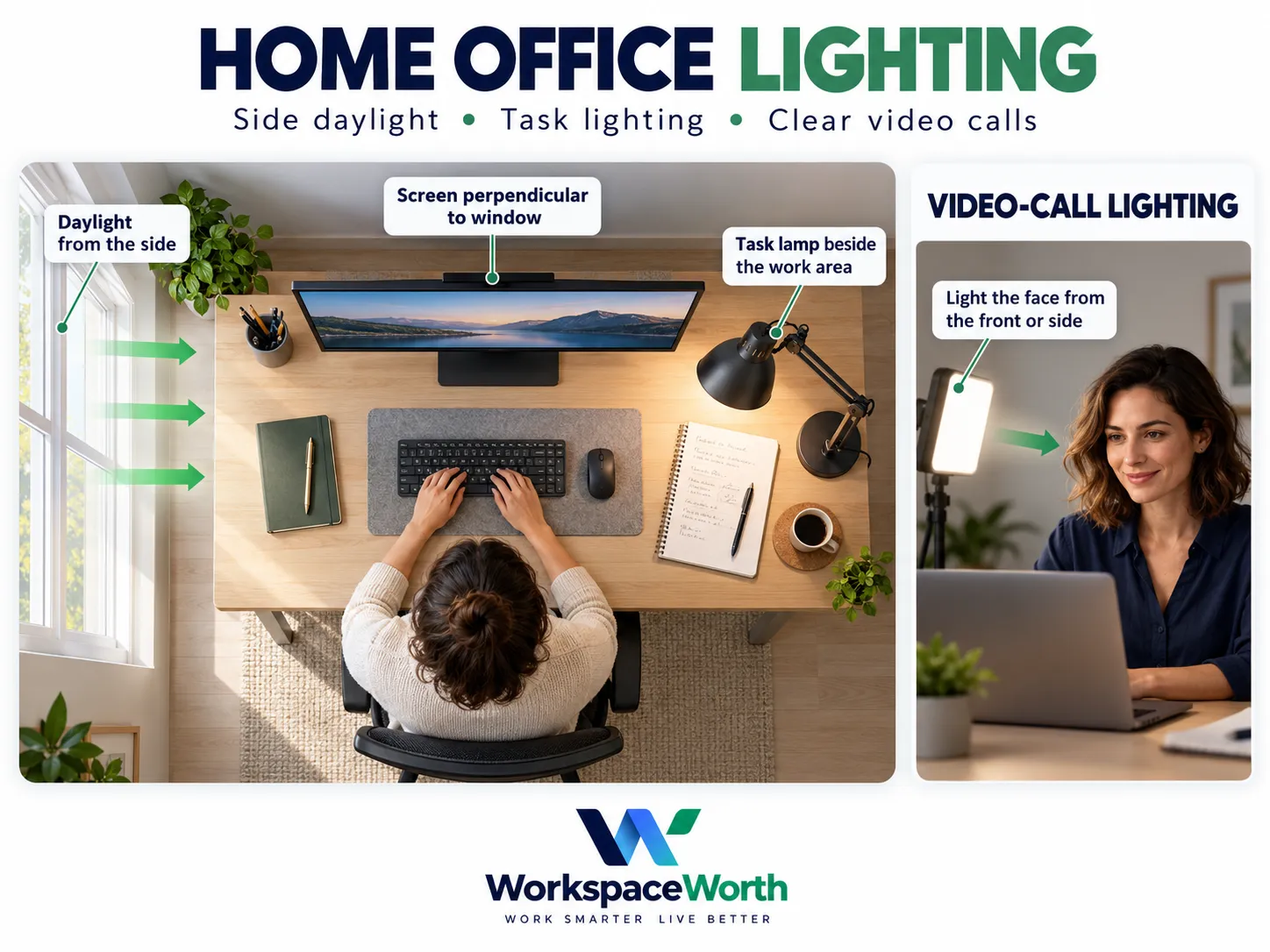
- Window position. OSHA's guidance suggests placing the monitor perpendicular to a window. A window directly behind the screen makes the screen harder to read, and a window behind the user can reflect on it.
- Glare. Strong afternoon sun is common in UAE apartments. Blinds or curtains help control glare during the brightest hours.
- Task lighting. A desk lamp placed to the side of the keyboard, not behind the screen, helps for paperwork and evening work.
- Video calls. The face should be lit from the front or side. A lamp or window behind the user leaves the face in shadow on camera.
- Background. In bedrooms and shared rooms, a plain wall or a closed wardrobe behind the chair keeps calls tidy.
Step 6: Organise cables and power connections
- Plan the power route first. Note which devices need mains power: monitors, laptop charger, lamp, desk motor and dock.
- Check voltage and plug separately. The UAE uses the Type G plug at 230 V and 50 Hz, according to Electrical Safety First. For every powered item, confirm that the rated input covers 230 V at 50 Hz and that it comes with a suitable Type G plug. A plug adaptor only changes the plug shape; it does not convert voltage.
- Use a surge-protected extension lead rated for the combined load, and avoid chaining extension leads.
- Lift cables off the floor. A clamp-on under-desk tray holds the extension lead and spare cable length without drilling.
- Leave slack for moving parts. Sit-stand desks and monitor arms need extra cable length so nothing pulls tight at full height or extension.
Step 7: Add only what the work needs, then check before ordering
Some product mentions may include affiliate links.
Selected Amazon.ae product examples
The examples below were checked on Amazon.ae on 1 and 2 November 2026 with delivery to Dubai. Each showed an AED price, was listed as in stock, and had a rating of at least 4.4 out of 5 from at least 670 ratings. These checks covered price, stock status, rating, seller and dispatch only; they do not verify every specification or warranty. Ratings are a screening filter, not proof of quality. Several listings show reviews from other Amazon marketplaces, so rating counts may be pooled across countries and variants. Prices change, so check the current price on Amazon.ae.
| Product | Setup role | Best for | Main limitation | Price |
|---|---|---|---|---|
| VASAGLE Computer Desk LWD038W44 | Fixed compact desk | Bedroom wall or alcove | Fixed height | Check current price on Amazon.ae |
| TONFARY Ergonomic Mesh Office Chair | Chair | Small rooms | Listing-only specifications | Check current price on Amazon.ae |
| UGREEN Laptop Stand 40289 | Laptop riser | Laptop-only setups | Needs keyboard and mouse | Check current price on Amazon.ae |
| HUANUO Single Monitor Arm HNSS6 | One monitor | Compact desks | Clamp range not stated | Check current price on Amazon.ae |
| HUANUO Dual Monitor Arm HNDS6 | Two monitors | Dual-monitor wall | Wooden desks only | Check current price on Amazon.ae |
| Logitech MK270 Keyboard and Mouse | Input devices | Raised-laptop setups | Needs a USB-A port | Check current price on Amazon.ae |
| UGREEN Revodok Pro 210 Dock 15534 | Laptop dock | Windows laptops, one cable | Mirrors two screens on macOS | Check current price on Amazon.ae |
| Lepro LED Desk Lamp | Task lighting | Paperwork and calls | Base takes desk space | Check current price on Amazon.ae |
| Cinati Under Desk Cable Tray | Cable management | Renters who cannot drill | Needs an edge to clamp | Check current price on Amazon.ae |
Individual examples, not a tested set
Each product was checked on its own. Compatibility between them has not been confirmed:
- The VASAGLE desk does not publish a usable tabletop thickness or underside clearance, and the HUANUO single arm does not publish its clamp range, so the arm may not fit that desk.
- The HUANUO dual arm lists a 1.5-9 cm desk thickness and recommends wooden desktops; measure the desk before ordering.
- The cable tray clamps to a desk edge or frame and can compete with a monitor-arm clamp for space.
Product notes
Specifications come from the Amazon.ae listing unless a manufacturer source is named.
01 VASAGLE Computer Desk LWD038W44
Fixed compact desk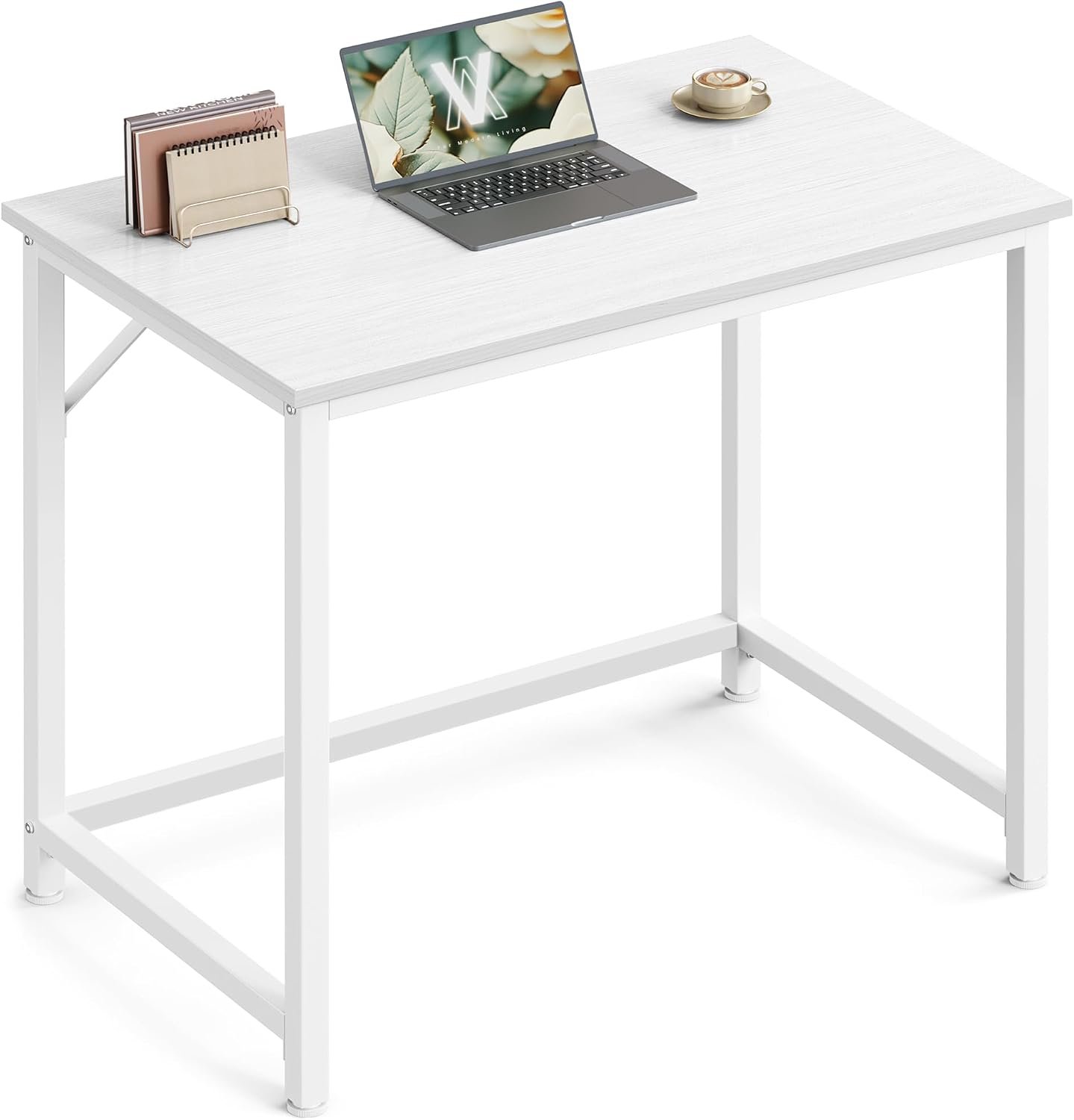
80 x 50 x 76 cm; up to 50 kg; steel frame, engineered-wood top. Assembly required. Warranty not verified.
Key features
- 80 x 50 x 76 cm
- up to 50 kg
- steel frame, engineered-wood top. Assembly required
A compact fixed desk for a bedroom wall or alcove. Check seated fit before ordering and verify tabletop thickness before adding a clamp-mounted accessory.
Bedroom wall or alcove
Check current details on Amazon.ae
Advantages
- Compact 80 x 50 cm footprint
- Steel frame with engineered-wood top
Limitations
- Fixed desk height
- Tabletop thickness and clamp compatibility unconfirmed
02 TONFARY Ergonomic Mesh Office Chair (model Funchair)
Chair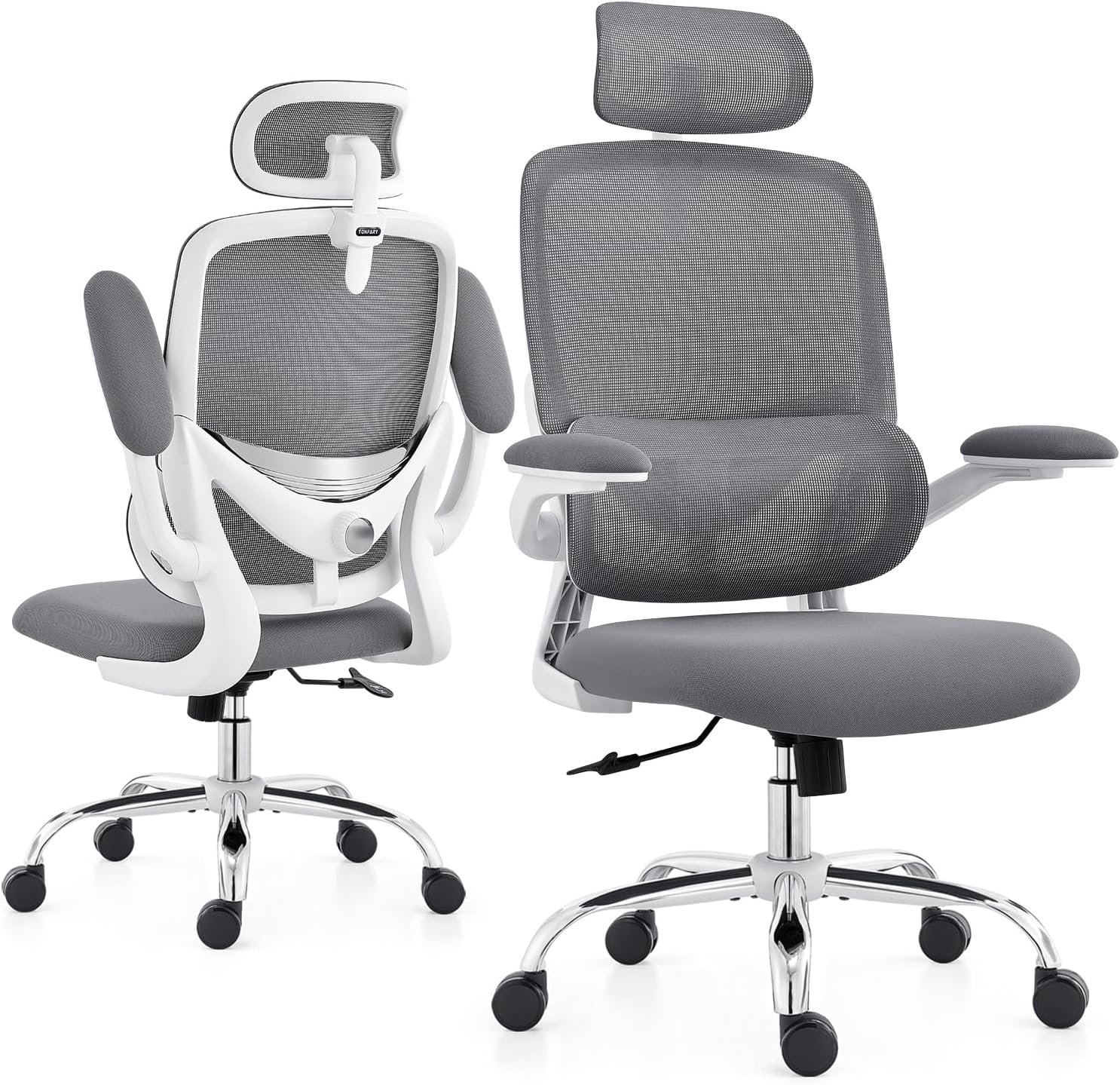
seat height 43-53 cm; overall 64 cm deep x 73 cm wide x 130 cm high; up to 150 kg; flip-up arms; adjustable lumbar support. Assembly required. Warranty not verified; specifications are listing-only.
Key features
- seat height 43-53 cm
- overall 64 cm deep x 73 cm wide x 130 cm high
- up to 150 kg
- flip-up arms
- adjustable lumbar support. Assembly required
A chair example with a stated seat-height range and flip-up arms. Match the listing dimensions to the desk and room; specifications and warranty still need exact-model confirmation.
Advantages
- Listing states a 43-53 cm seat-height range
- Flip-up arms and adjustable lumbar support listed
Limitations
- Manufacturer specifications not independently confirmed
- UAE warranty not verified
03 UGREEN Laptop Stand 40289
Laptop riser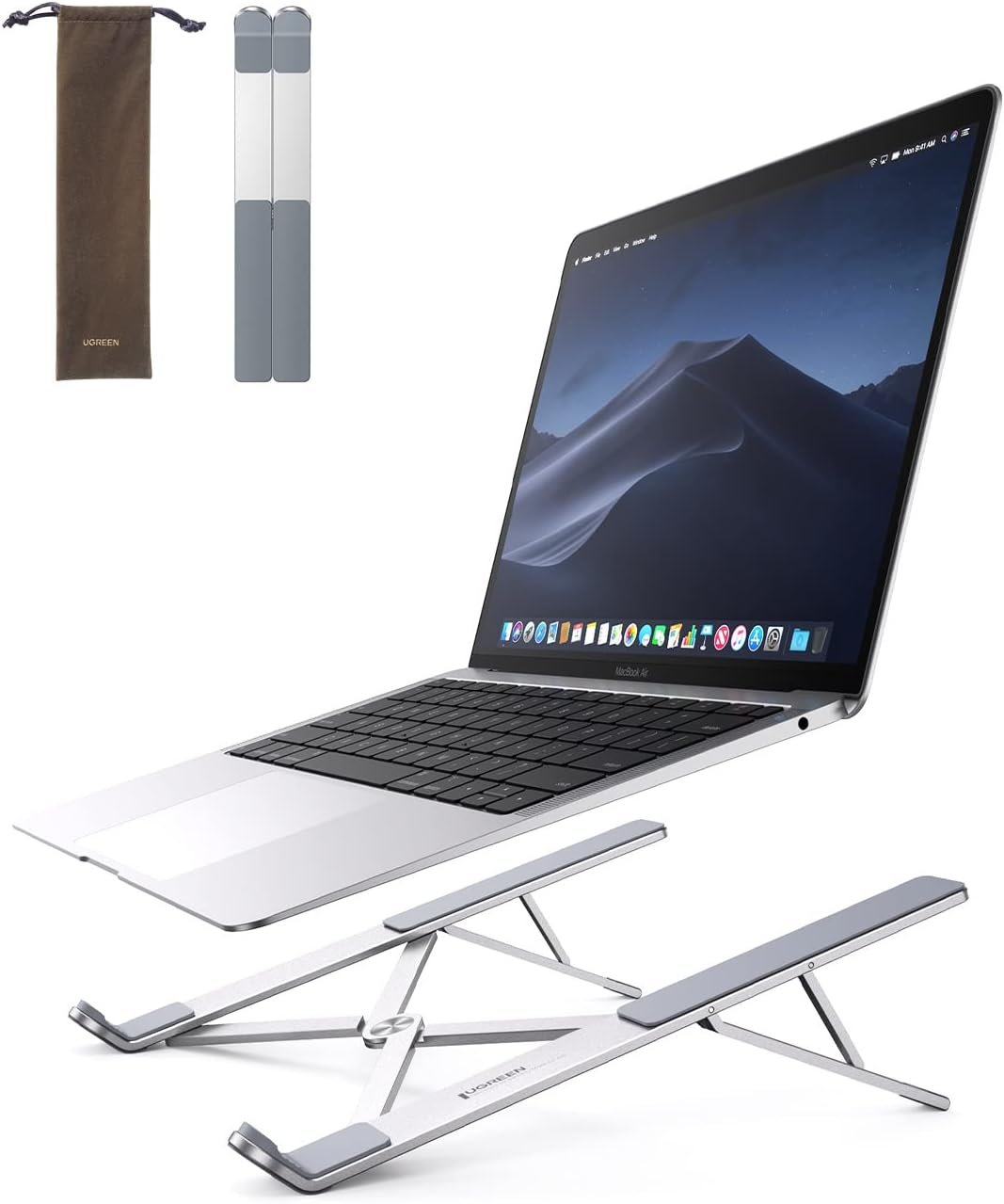
aluminium; 5 heights from 64 to 148 mm; foldable. Warranty conflicting on the listing (24 months in text, "No" in the table).
Key features
- aluminium
- 5 heights from 64 to 148 mm
- foldable
A foldable riser for laptop-based work. Pair it with a separate keyboard and mouse, and confirm the conflicting warranty information with the seller.
Advantages
- Five height positions listed
- Foldable aluminium construction
Limitations
- External keyboard and mouse needed when raised
- Conflicting warranty fields in the listing
04 HUANUO Single Monitor Arm HNSS6
One monitor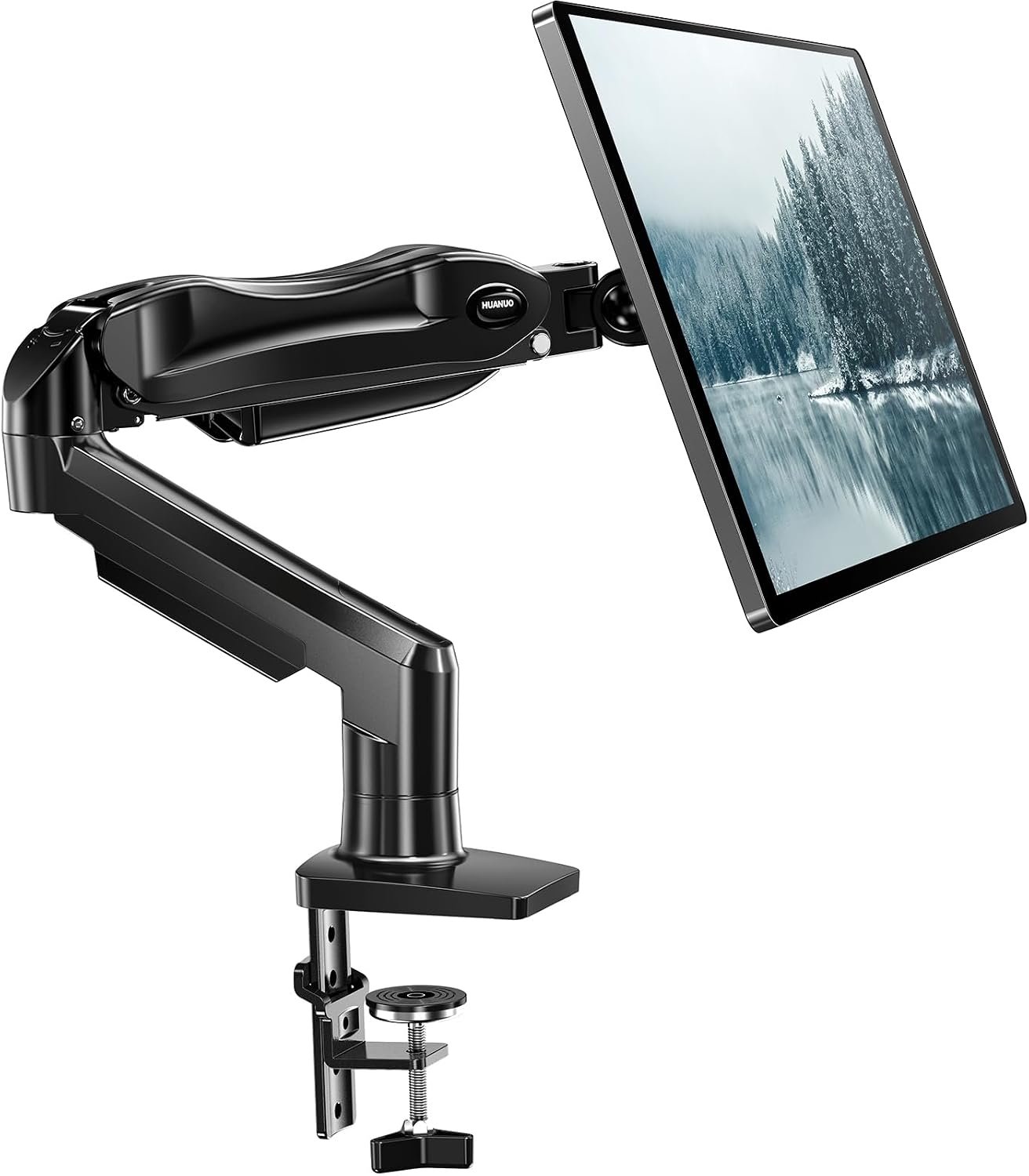
13-32 inch screens; 2-9 kg; VESA 75 x 75 and 100 x 100 mm; clamp or grommet. HUANUO states "up to 5-year warranty"; clamp thickness range not published.
Key features
- 13-32 inch screens
- 2-9 kg
- VESA 75 x 75 and 100 x 100 mm
- clamp or grommet
A single-screen mounting option where the monitor and desk meet its requirements. Confirm the missing clamp range before ordering.
Advantages
- Height and position adjustment for one monitor
- Clamp or grommet mounting listed
Limitations
- Supported clamp thickness still unconfirmed
- Desk and monitor compatibility must be checked
05 HUANUO Dual Monitor Arm HNDS6
Two monitors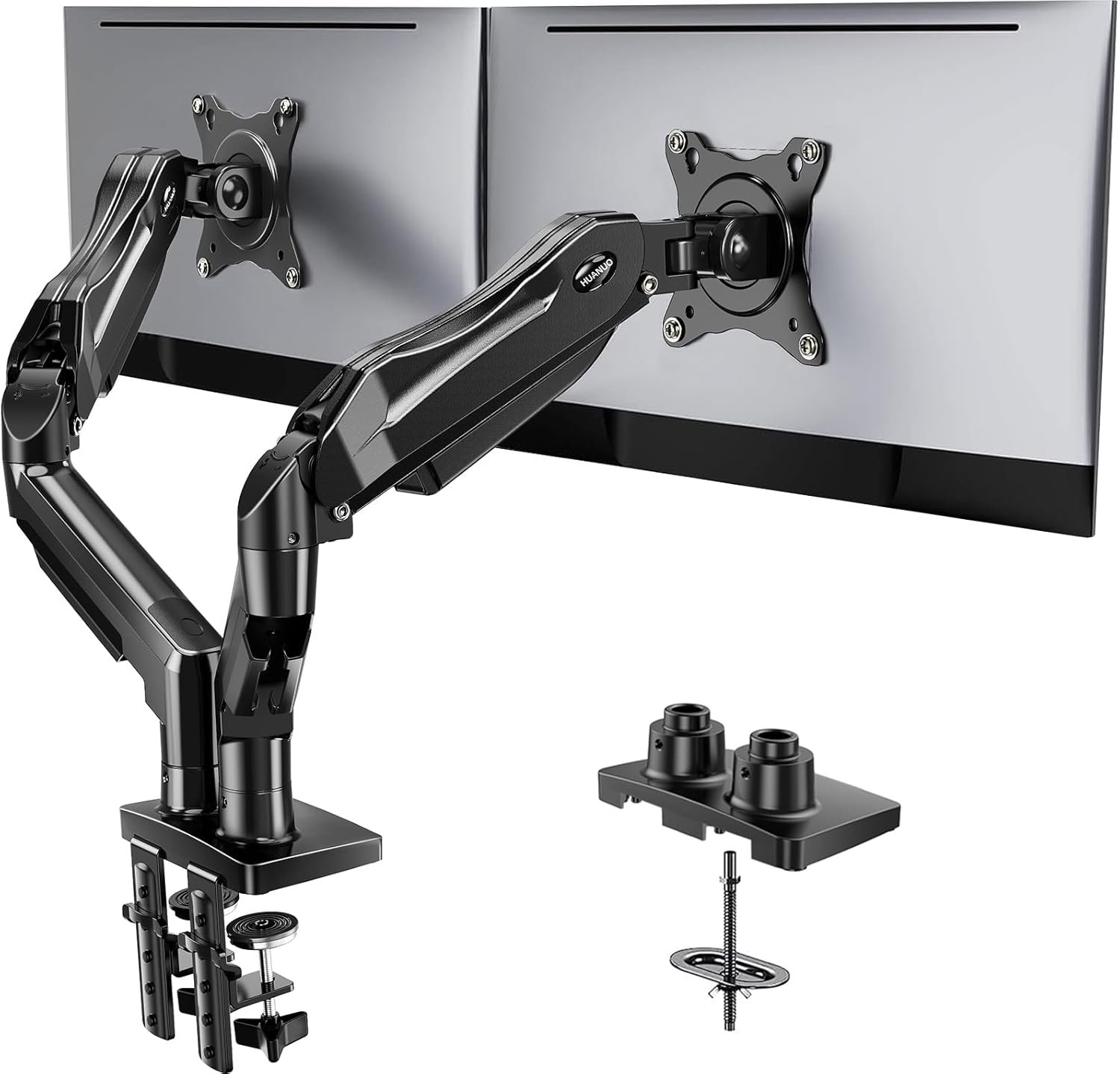
13-32 inch screens; 2-9 kg per arm; desk thickness 1.5-9 cm; wooden desks recommended. 3-year warranty stated on the listing.
Key features
- 13-32 inch screens
- 2-9 kg per arm
- desk thickness 1.5-9 cm
- wooden desks recommended. 3-year warranty stated on the listing
A dual-screen mounting option for a suitable wooden desktop. Check each monitor weight, the mounting pattern and desk construction before ordering.
Advantages
- Supports two monitors within stated limits
- Desk-thickness range stated in the listing
Limitations
- Wooden desktops recommended by listing
- Both monitor weights and mounting patterns must match
06 Logitech MK270 Wireless Keyboard and Mouse
Input devices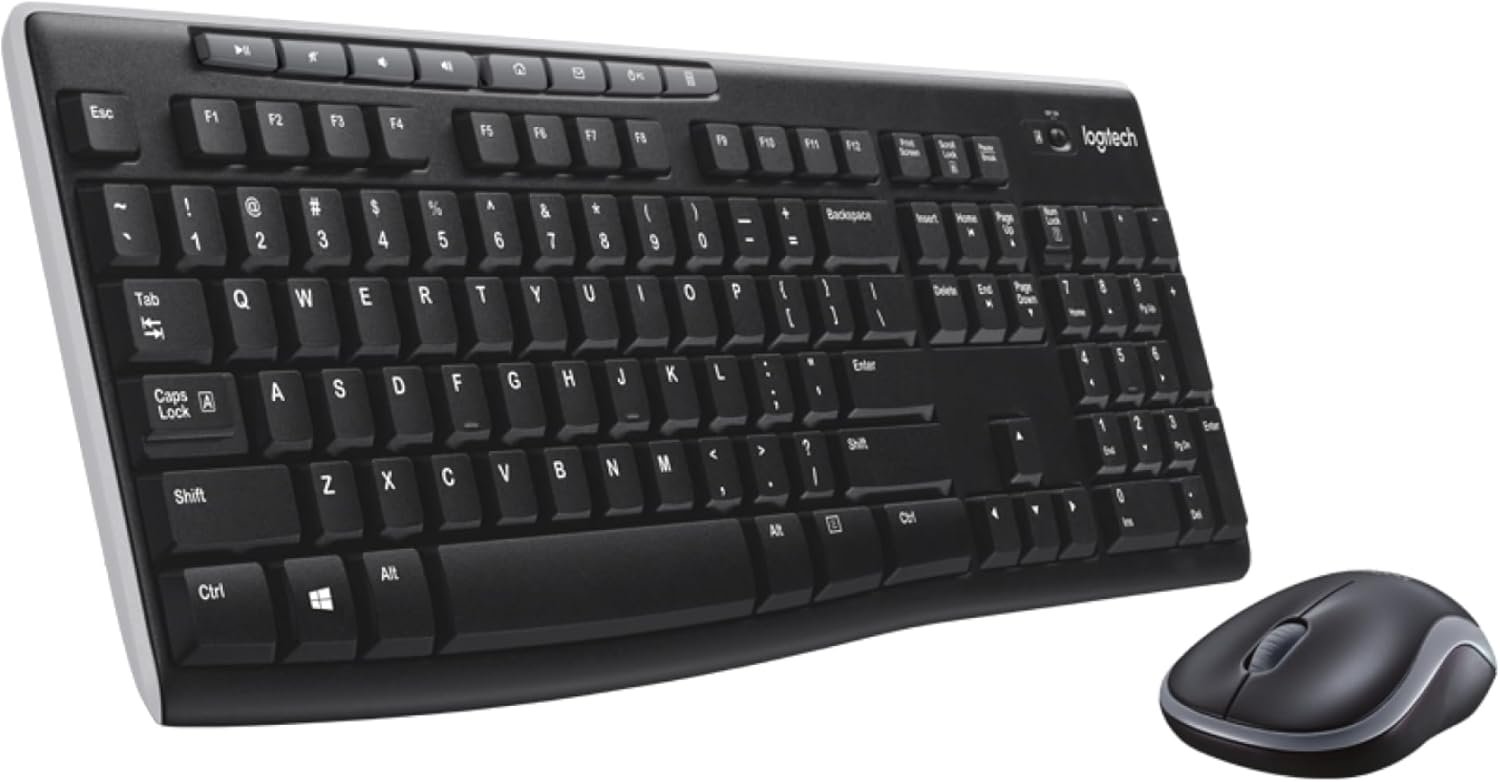
full-size keyboard; nano USB receiver; Logitech UAE lists Windows 10, 11 and ChromeOS, not macOS, and a 3-year limited warranty. The listing's part number differs from Logitech UAE's, so confirm warranty with the third-party seller.
Key features
- full-size keyboard
- nano USB receiver
- Logitech UAE lists Windows 10, 11 and ChromeOS, not macOS, and a 3-year limited warranty. The listing's part number differs from Logitech UAE's, so confirm warranty with the third-party seller
A full-size wireless keyboard and mouse for a raised-laptop arrangement. Allow space for the number pad and confirm receiver compatibility and exact-part warranty.
Raised-laptop setups
Check current details on Amazon.ae
Advantages
- Separate keyboard and mouse for a raised laptop
- Full-size layout with a number pad
Limitations
- USB-A receiver requires a suitable port or adapter
- Amazon part number differs from Logitech UAE reference
07 UGREEN Revodok Pro 210 Dock 15534
Laptop dock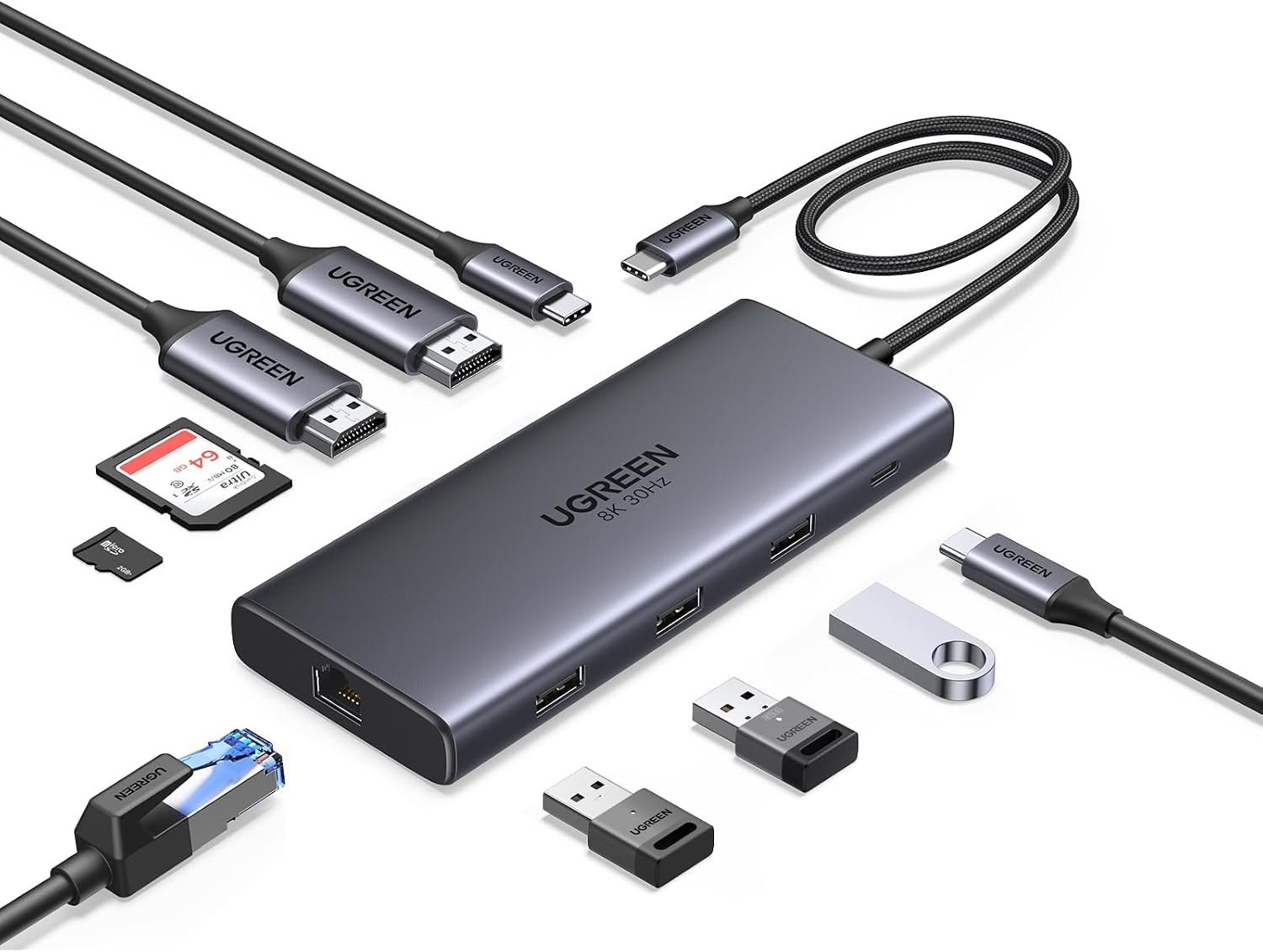
2 x HDMI up to 4K at 60 Hz; up to 85 W passed to the laptop; Gigabit Ethernet. UGREEN states the laptop needs DisplayPort Alt Mode and that the two screens mirror on macOS. 24-month warranty stated on the listing.
Key features
- 2 x HDMI up to 4K at 60 Hz
- up to 85 W passed to the laptop
- Gigabit Ethernet. UGREEN states the laptop needs DisplayPort Alt Mode and that the two screens mirror on macOS. 24-month warranty stated on the listing
A dock example for compatible laptops needing displays and wired accessories. Confirm video and power requirements; the two HDMI displays mirror each other on macOS.
Windows laptops, one cable
Check current details on Amazon.ae
Advantages
- Display, Ethernet and accessory connections
- Up to 85 W laptop pass-through stated
Limitations
- Dual external displays mirror on macOS
- DisplayPort Alt Mode and power compatibility required
08 Lepro LED Desk Lamp
Task lighting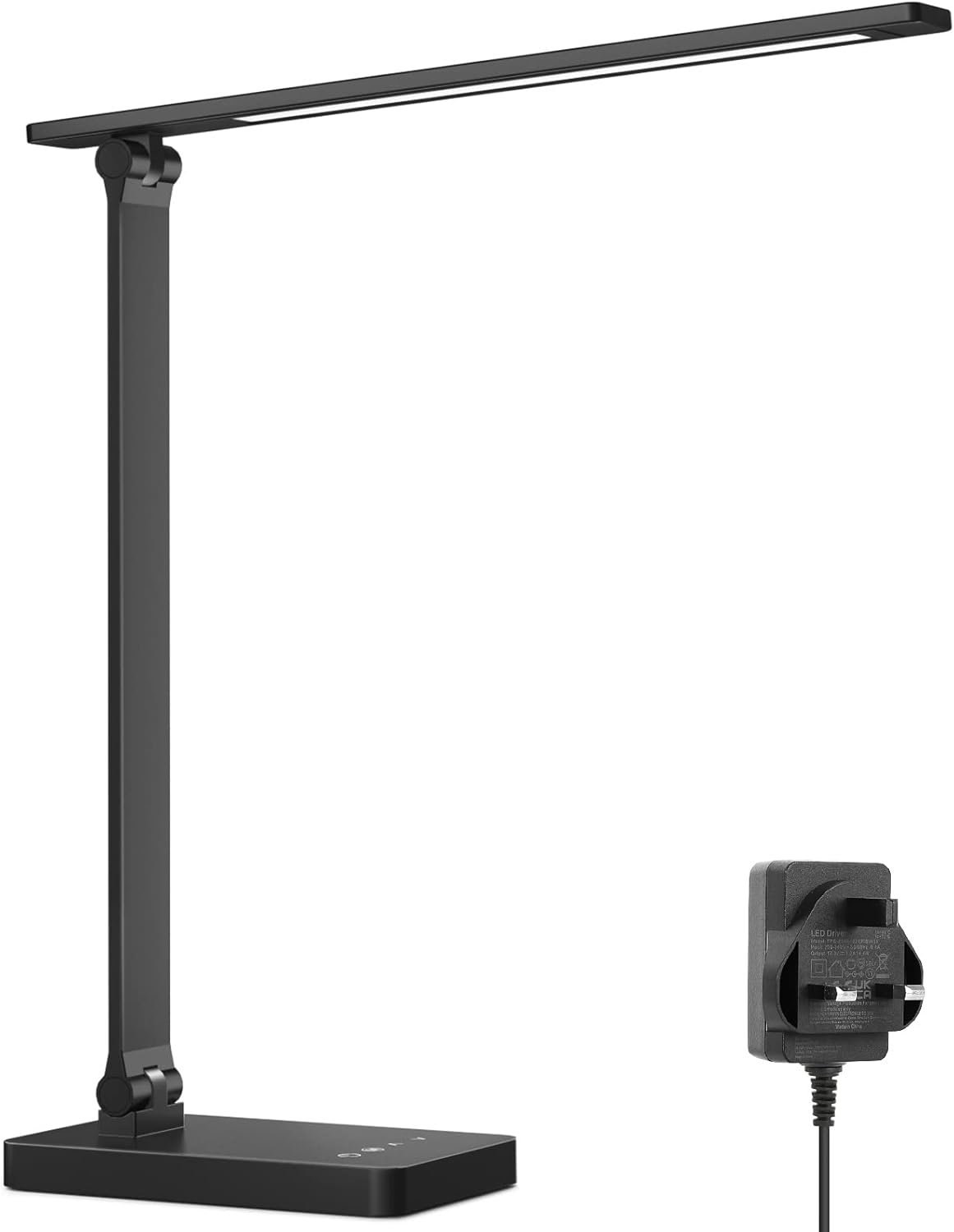
9.2 W, 750 lm; 5 colour modes x 5 brightness levels; UK-standard adapter. Warranty not verified.
Key features
- 9.2 W, 750 lm
- 5 colour modes x 5 brightness levels
- UK-standard adapter
A desk-light example for paperwork and evening work. Allow space for its base and confirm the supplied adapter and local warranty.
Paperwork and calls
Check current details on Amazon.ae
Advantages
- Selectable brightness and colour modes listed
- UK-standard adapter stated in listing
Limitations
- Freestanding base uses desktop space
- UAE warranty not verified
09 Cinati Under Desk Cable Management Tray
Cable management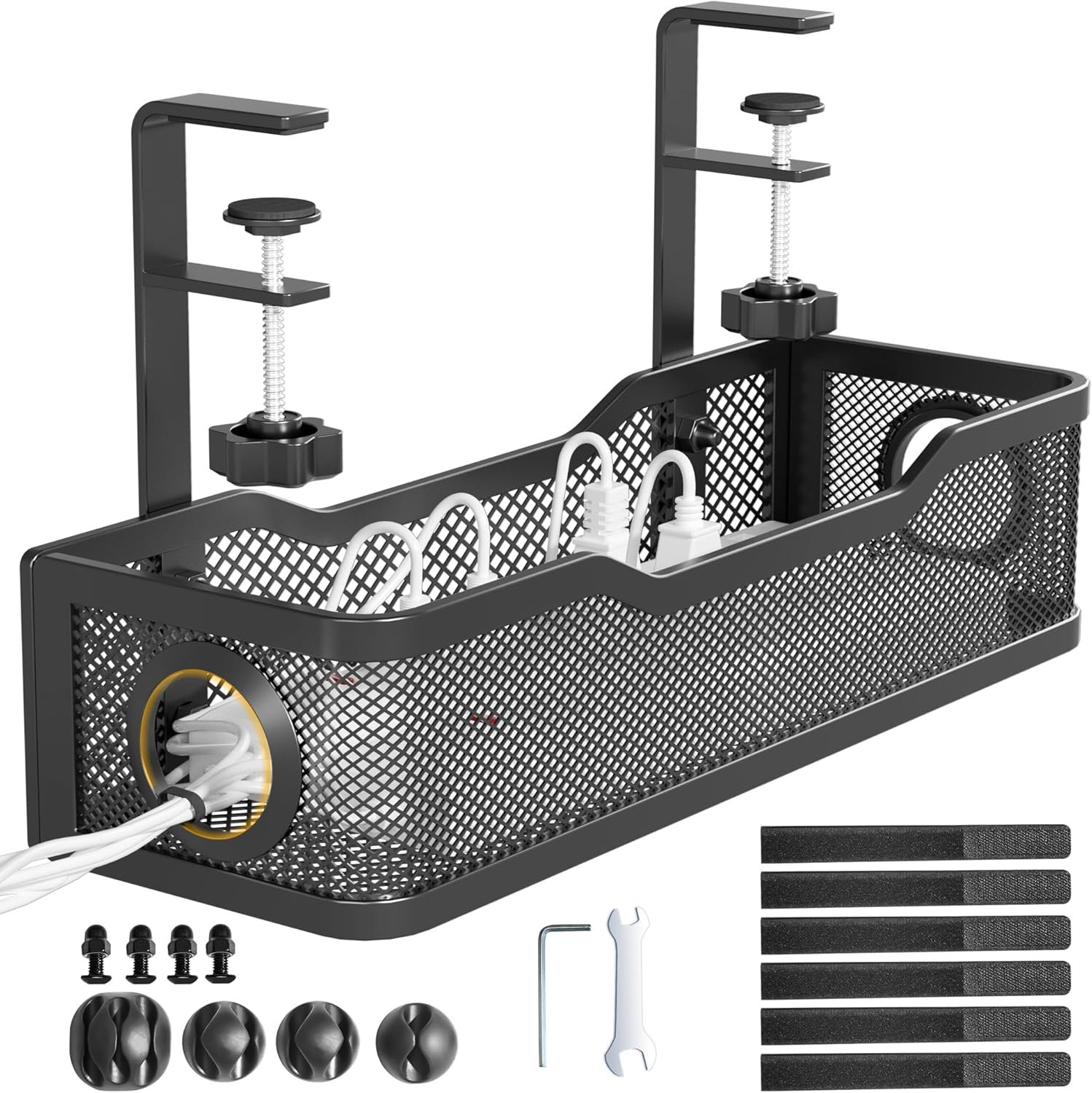
metal, 34 x 11.7 cm; clamp-on; holds up to about 4.5 kg; clips and ties included. Warranty not verified.
Key features
- metal, 34 x 11.7 cm
- clamp-on
- holds up to about 4.5 kg
- clips and ties included
A clamp-on option for organising cables without drilling. Check desk-edge clearance and the combined weight of items placed in the tray.
Renters who cannot drill
Check current details on Amazon.ae
Advantages
- Clamp-on installation without drilling
- Clips and ties included in listing
Limitations
- Clamp can compete with a monitor arm for space
- Warranty not verified
Three illustrative spending approaches
These AED bands are illustrative. They add up the examples above using prices observed on Amazon.ae on 1 and 2 November 2026, rounded into bands. They exclude monitors, laptops, delivery charges and extension leads. The third band excludes the electric desk itself, because none of the listings checked state a UAE-compatible power input. Prices change; check current prices before budgeting.
| Approach | Includes | Excludes | Illustrative band |
|---|---|---|---|
| Reuse existing furniture and buy essentials | Laptop stand, keyboard and mouse, desk lamp, cable tray | Desk, chair, monitor | Under AED 300 |
| Compact everyday workspace | Compact fixed desk, chair, laptop stand, keyboard and mouse, desk lamp, cable tray | Monitor, dock | About AED 850-950 |
| Adjustable desk and extra equipment | Chair, dual monitor arm, USB-C dock, keyboard and mouse, desk lamp, cable tray | Electric desk (not priced), monitors, laptop | About AED 1,000-1,100, plus an electric desk |
Spending priorities
For many people working full days, the chair and screen height affect daily comfort more than accessories do. A reasonable order is: a stable desk, a chair that fits, a way to raise the screen, an external keyboard and mouse, then lighting and cable management. Docks and monitor arms make sense once a monitor is part of the setup.
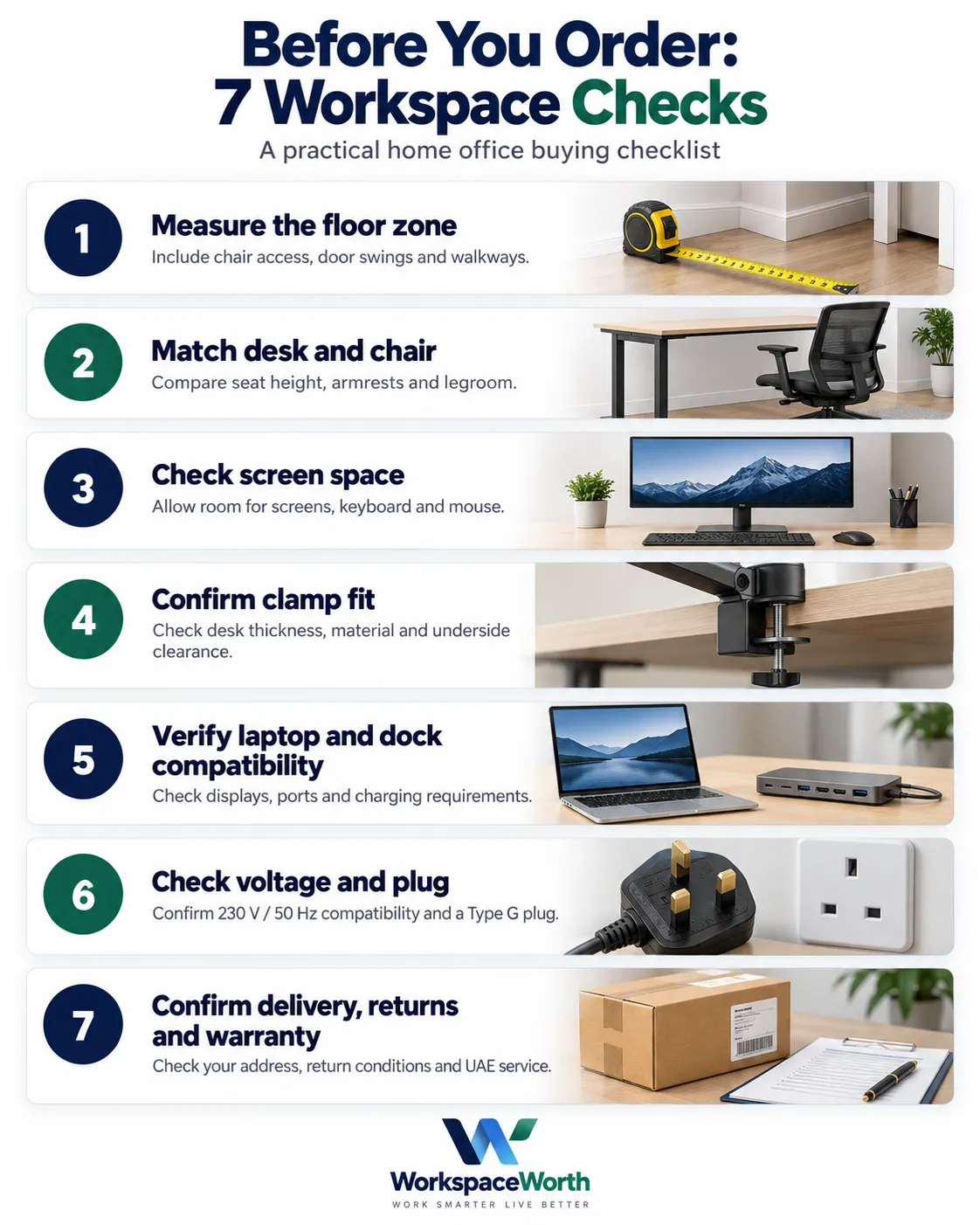
Measurement and buying checklist
Use this checklist before placing orders:
- Floor zone measured, including chair space, any walkway and door swing
- Desk width confirmed against the space, with or without elbow room
- Screen, keyboard and mouse fit on the desk depth at a comfortable viewing distance
- Desk height compared with the chair's seat height range
- Chair armrests checked for clearance under the desk
- Monitor VESA pattern and weight checked against the arm
- Desk thickness and underside checked for clamp clearance
- Laptop USB-C port checked for charging (USB PD) and for video (DisplayPort Alt Mode or the dock's stated method)
- Number of external displays the laptop supports confirmed, and whether the dock extends or mirrors on that operating system
- Plug type and voltage confirmed for every powered item
- Socket position and extension lead route planned
- Delivery coverage confirmed for the emirate and building
- Return window and warranty route confirmed with the seller
- Assembly needs and tools checked, including who will assemble
UAE considerations
- Delivery across the emirates. Delivery estimates on Amazon.ae change with the address. The checks for this guide used a Dubai delivery location; delivery to Abu Dhabi, Sharjah, Ajman, Umm Al Quwain, Ras Al Khaimah and Fujairah should be confirmed on the product page with the buyer's own address.
- Sellers and warranty. Several products are sold by third-party sellers and fulfilled by Amazon. Warranty terms stated in listings are the seller's or manufacturer's claim; confirm who handles warranty claims in the UAE before buying higher-value items such as chairs and electric desks.
- Returns. Bulky items such as desks and chairs can be harder to return once assembled. Read the return conditions on the product page before ordering.
- Assembly. Desks and chairs typically arrive flat-packed. Check whether the building allows furniture deliveries at certain times and whether a lift is available for large boxes.
- Electrical compatibility. Confirm both the rated input voltage and the plug for powered products, particularly electric desks and lamps. An adaptor changes the plug shape, not the voltage.
- Rental restrictions. Clamp-on monitor arms and cable trays avoid wall drilling, but they can mark desk surfaces. Felt pads or the supplied protective mats help.
Related buying guides
For screen mounting, compare single and dual monitor arms available on Amazon.ae and check the desk and monitor compatibility notes.
Choosing the furniture next? Compare small office desks for one or two monitors and check each desk’s dimensions and stated limitations against your room.
For seating, compare office chairs available on Amazon.ae and check the fit and warranty caveats before ordering.
Conclusion
A small home office setup in the UAE works best when it is planned in order: choose the location, measure the full floor zone, pick the desk and chair together, raise the screen, light the desk from the side, and organise cables before buying extras. A laptop stand with an external keyboard and mouse suits many compact setups; a sit-stand desk, dual monitor arm and dock suit people with more space and more screens.
Frequently asked questions
What do you need for a basic home office setup in the UAE?
A stable desk, a chair that fits the floor zone, a way to raise the screen, an external keyboard and mouse if using a raised laptop, side lighting, and a tidy power route. Additional equipment depends on the work.
How much space does a small home office need?
At minimum, the wall or alcove must fit the desk itself. As an illustrative comfort allowance, add about 10 cm on each side and about 90 cm behind the desk for the chair, plus any walkway. An 80 x 50 cm desk with those allowances needs roughly 100 x 140 cm.
What desk size works for two monitors?
Two 24-inch 16:9 monitors measure roughly 106 cm across before bezels, so a desk of 120 cm or wider is usually the comfortable choice. A dual monitor arm can let screens overhang the desk, but the room still needs the width.
Is a laptop stand enough without an external monitor?
For many laptop-based jobs, a laptop stand with an external keyboard and mouse is enough. A separate monitor becomes useful for work that needs two documents side by side or a larger screen.
Can a monitor arm be installed in a rented apartment?
Most monitor arms clamp to the desk rather than the wall, so they do not require drilling into walls. The desk needs a suitable thickness and material, and the clamp area should be free of frames or drawers.
Should a home office desk face a window?
OSHA's computer workstation guidance suggests placing the monitor perpendicular to a window. Facing a window directly, or having it directly behind the screen or the user, can cause glare or reflections.
Do electric standing desks sold on Amazon.ae work with UAE sockets?
It depends on the power supply and plug supplied, which can vary between listings and shipments. The UAE uses Type G sockets at 230 V and 50 Hz. Confirm with the listing, manual or seller that the desk's rated input covers 230 V and that it has a suitable Type G plug; a plug adaptor does not convert voltage.
Does a USB-C docking station work with every laptop?
No. Charging through the dock needs a laptop port that accepts USB Power Delivery and enough pass-through wattage. Video depends on the dock's display technology and the laptop; many docks need DisplayPort Alt Mode. The laptop and operating system also limit how many screens extend.
How can cables be managed without drilling in a rental?
Clamp-on under-desk trays, cable clips, ties and a surge-protected extension lead mounted in the tray keep cables off the floor without wall fixings.
How far should a monitor be from the eyes?
OSHA's guidance gives a preferred viewing distance of about 50 to 100 cm, with the top of the screen at or below eye level. Screen size, eyesight and glasses affect the most comfortable distance.
Sources
- OSHA Computer Workstations eTool: Monitors - viewing distance, screen height and window placement guidance.
- Apple Support: How many displays can be connected to MacBook Air - external display limits and the effect of hubs.
- Electrical Safety First: Travel adaptor for the United Arab Emirates - UAE plug type, voltage and frequency.
- UGREEN India: Revodok Pro 210 (15534) - dock ports, power delivery, DisplayPort Alt Mode and macOS behaviour.
- Logitech UAE: MK270 Wireless Keyboard and Mouse Combo - specifications, system requirements and warranty.
- HUANUO: HNSS6 Single Monitor Mount - screen size, weight range and warranty statement.
- Amazon.ae: VASAGLE Computer Desk LWD038W44 - listing specifications.
- Amazon.ae: TONFARY Ergonomic Mesh Office Chair - listing specifications.
- Amazon.ae: UGREEN Laptop Stand 40289 - listing specifications.
- Amazon.ae: HUANUO Single Monitor Arm HNSS6 - listing specifications.
- Amazon.ae: HUANUO Dual Monitor Arm HNDS6 - listing specifications.
- Amazon.ae: Logitech MK270 Wireless Keyboard and Mouse - listing details.
- Amazon.ae: UGREEN Revodok Pro 210 Dock 15534 - listing details.
- Amazon.ae: Lepro LED Desk Lamp - listing specifications.
- Amazon.ae: Cinati Under Desk Cable Management Tray - listing specifications.